


Introduction
This guide covers the essentials of your SkilledTradesBC Portal account:
- Create an Account
- Reset a Forgotten Portal Password
- Portal Navigation & Key Features
- My Profile
- My Apprenticeship
- Exam Booking
- Notifications
- My Activities
- Registration
- ROI & Consent
- Contact Your Apprenticeship Advisor
Create a SkilledTradesBC Portal Account
- Go to https://portal.skilledtradesbc.ca/Account/Login/Register.
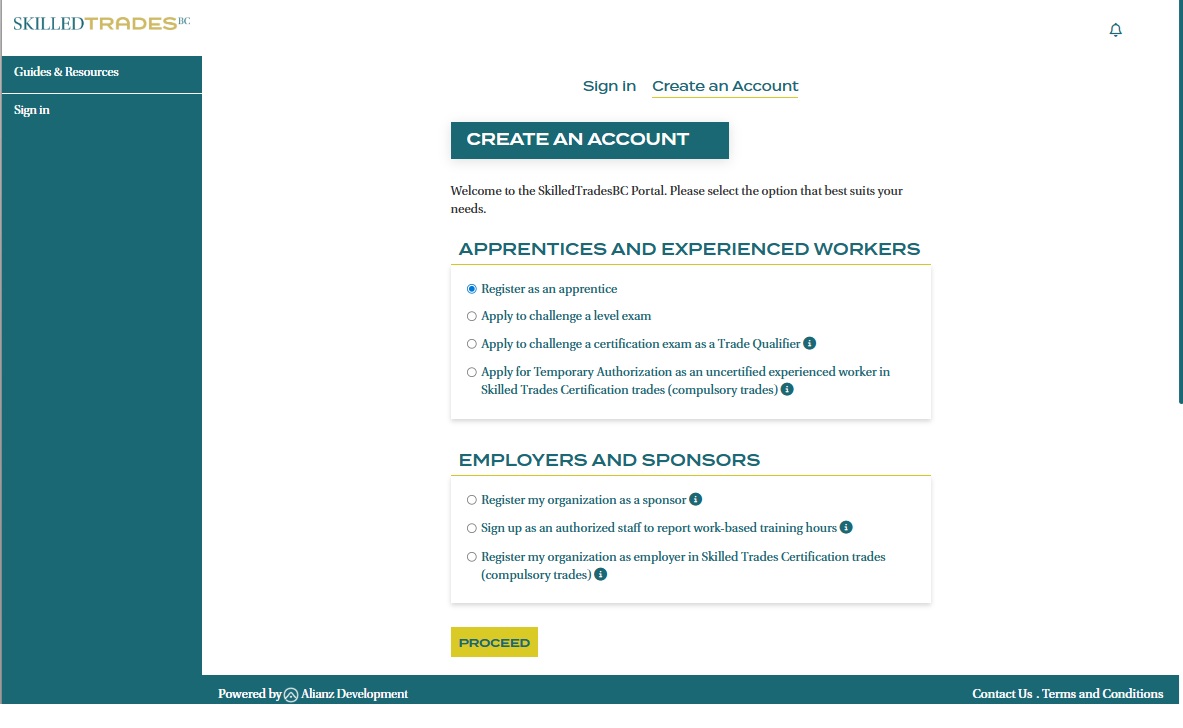
- Select the option “Create an Account” to start creating your account.
- Select the option “Register as an apprentice” and click “Proceed” button to continue.
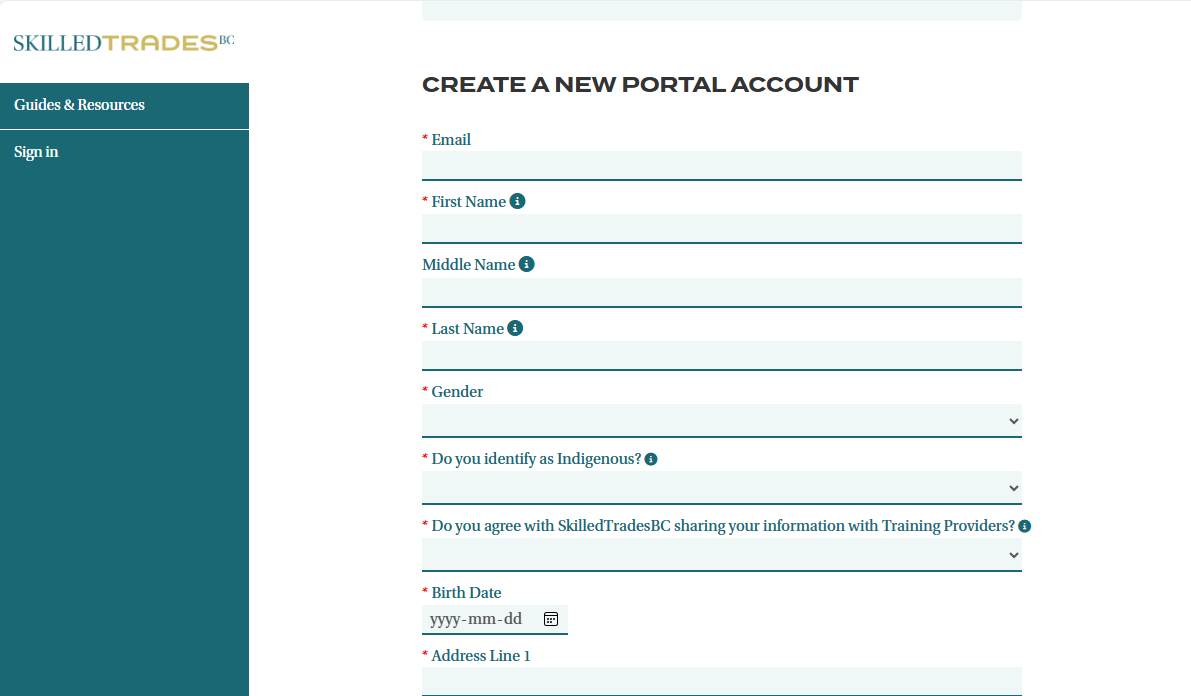
- Complete all fields and click on the “Register” button to continue.
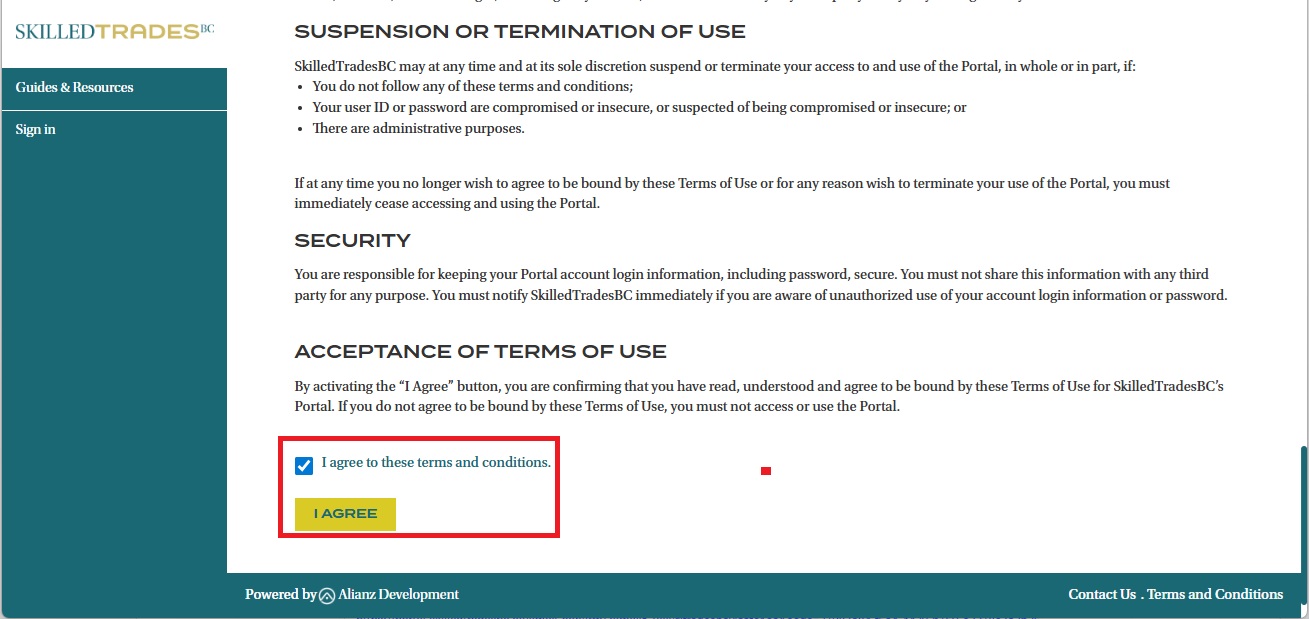
- Read through the terms and conditions for your application. Then, check “I agree to these terms and conditions” box and click on the “I agree” button to continue.
- Once your profile is created, you will receive a confirmation email from SkilledTradesBC containing an activation link.
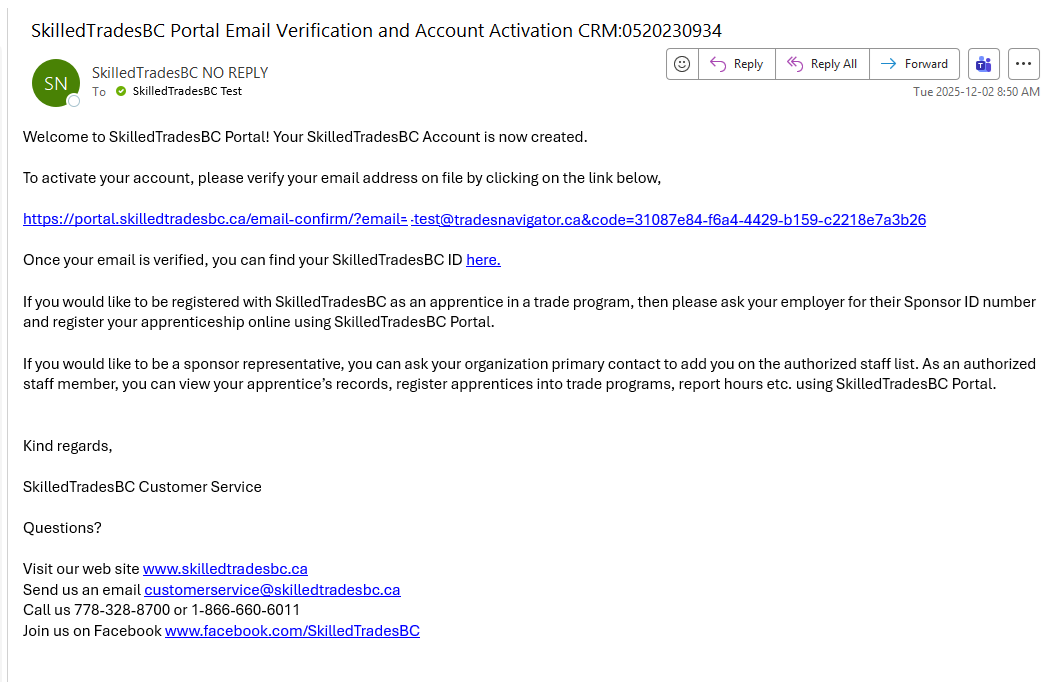
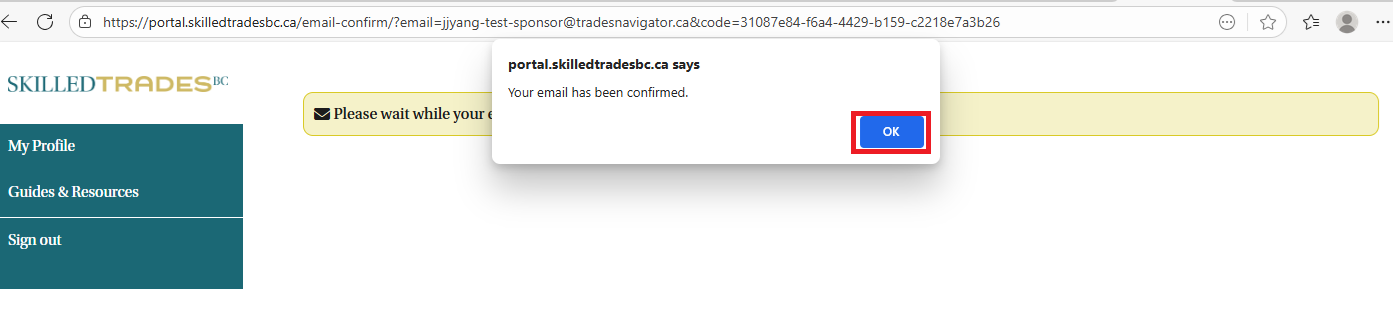
- Click on the activation link, then log into the Portal using your credentials. Upon successful login, a confirmed message will display indicating that your email has been verified. Your account setup is now complete.
Reset a Forgotten Portal Password
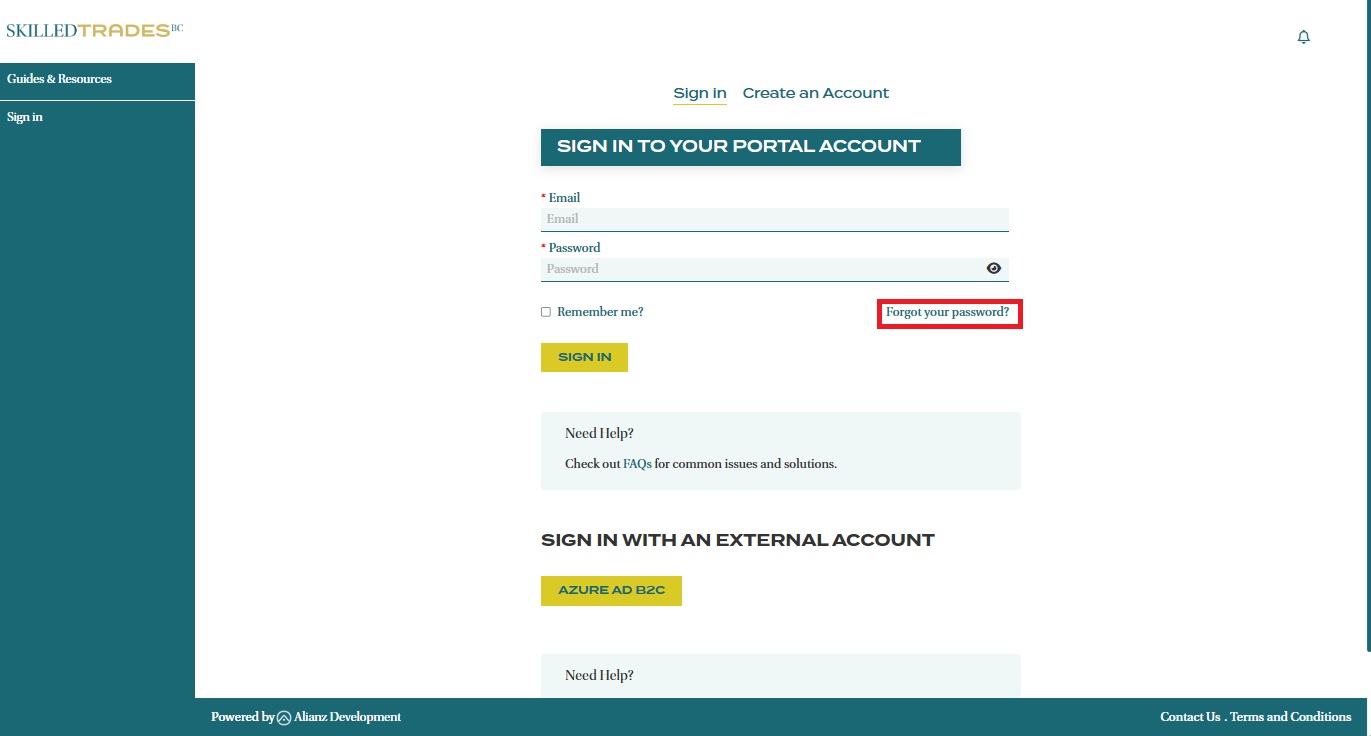
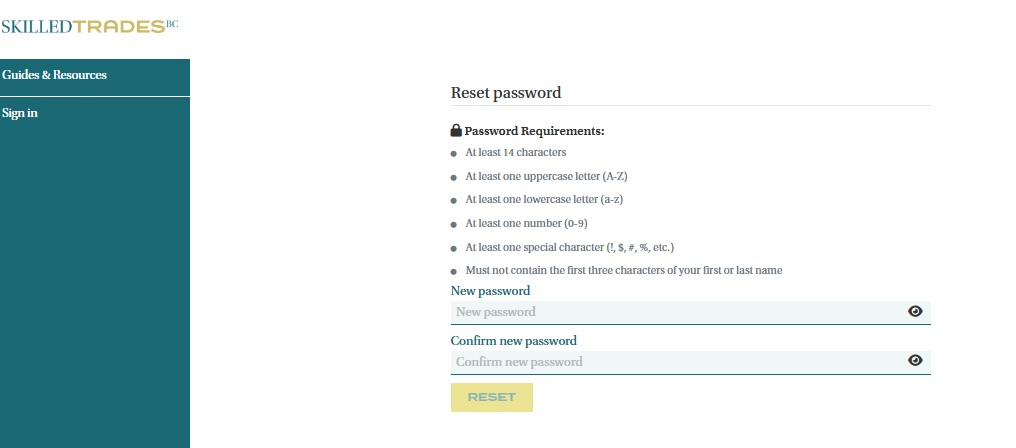
- To reset your password, click the “Forgot Your Password?” link on the Sign In page.
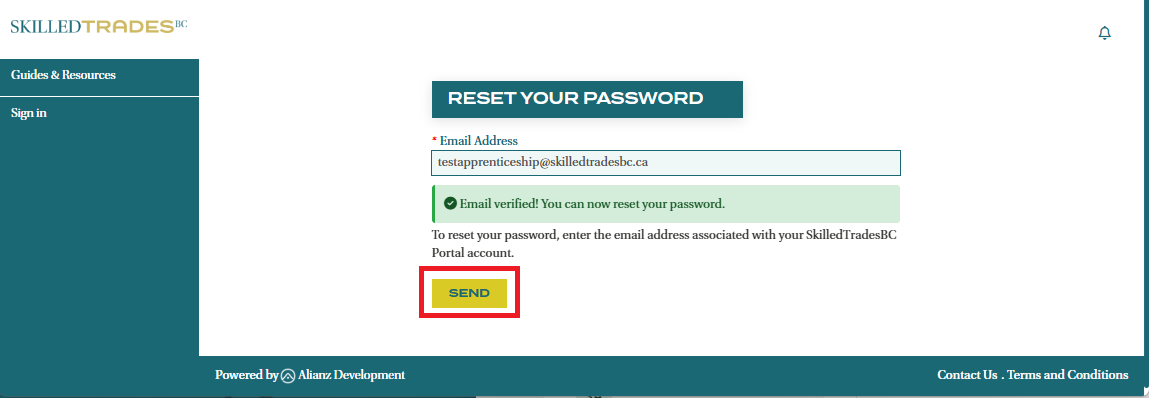
- Enter the email address you used to sign up for a SkilledTradesBC Portal account and click “Send”.
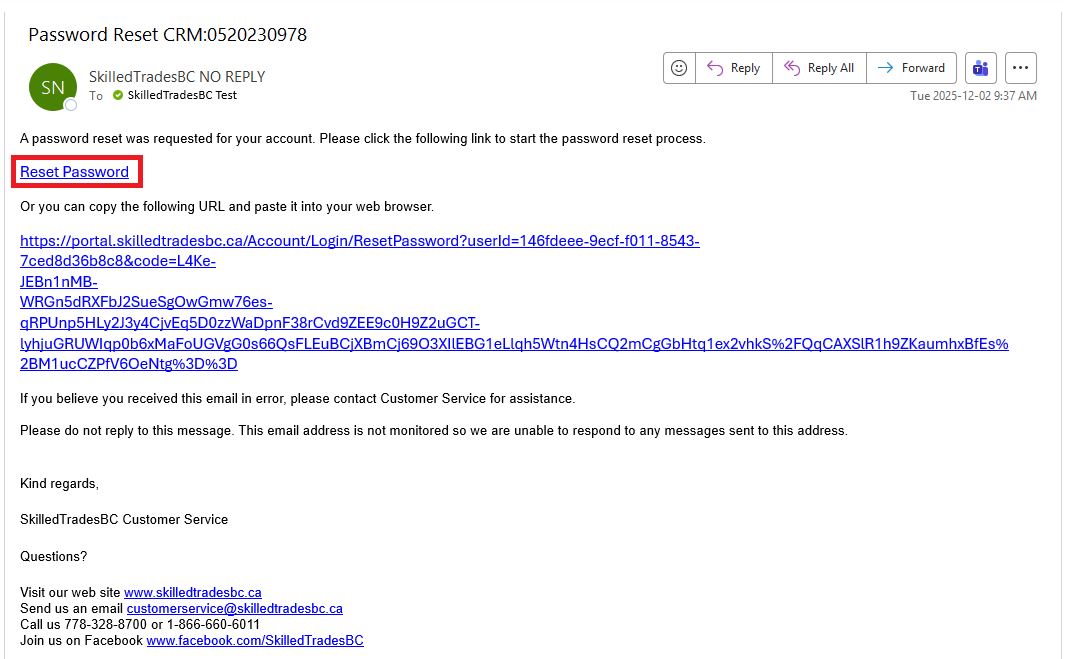
- You will receive an email from SkilledTradesBC with a link to reset your password. Click on this link to continue.
- After being redirected to the Portal, you will be prompted to reset your password.
Important Notes
- Previous Direct Access Accounts: If you previously had a Direct Access account with SkilledTradesBC but have not logged into the Portal, you must reactivate your access. Please contact Customer Service for assistance.
- Account Lockout Policy: For security purposes, your account will be locked for 60 minutes after five unsuccessful login attempts. Once the lockout period ends, you may either try your password again or reset it.
Portal Navigation and Key Features
My Profile
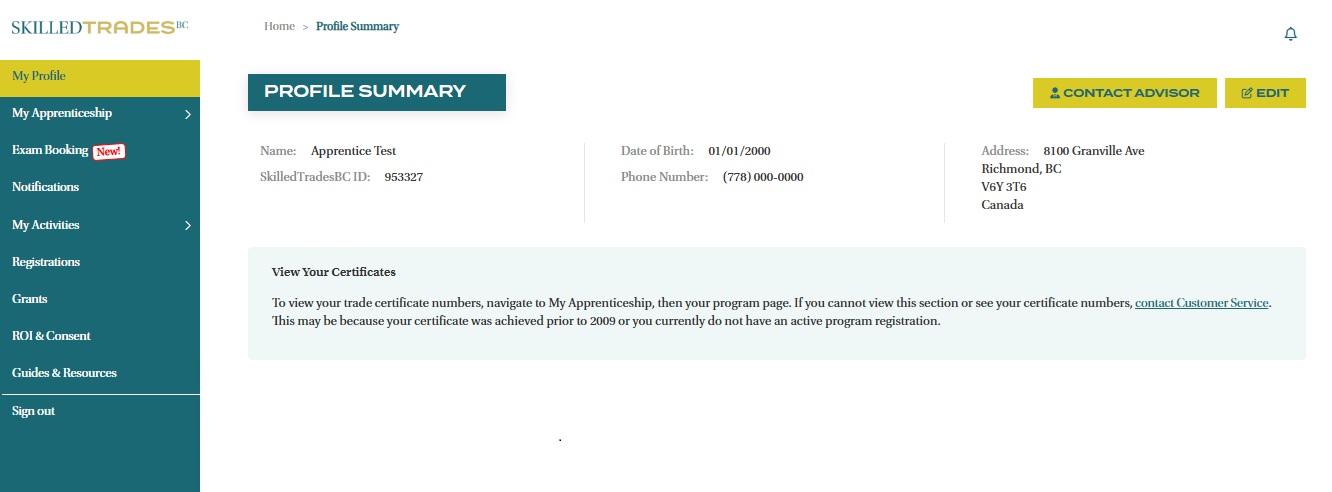
After logging in, you will be directed to a Profile Summary page displaying your personal information. To update your information or password, click the ‘Edit’ button located on the right side of the screen.
Important Notes:
- To change your name, date of birth and email address, you will need to contact Customer Service or request through the "My Apprentice Inquiries" feature on the Portal.
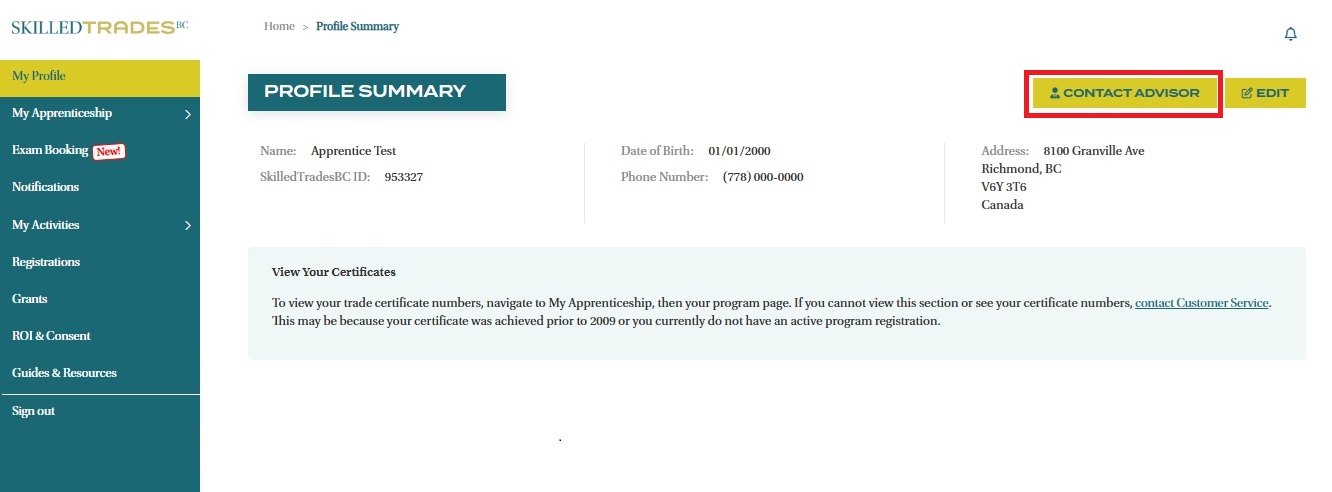
- You can also use the "Contact Advisor" button in the top right corner to get in touch directly with your assigned regional advisor.
My Apprenticeship
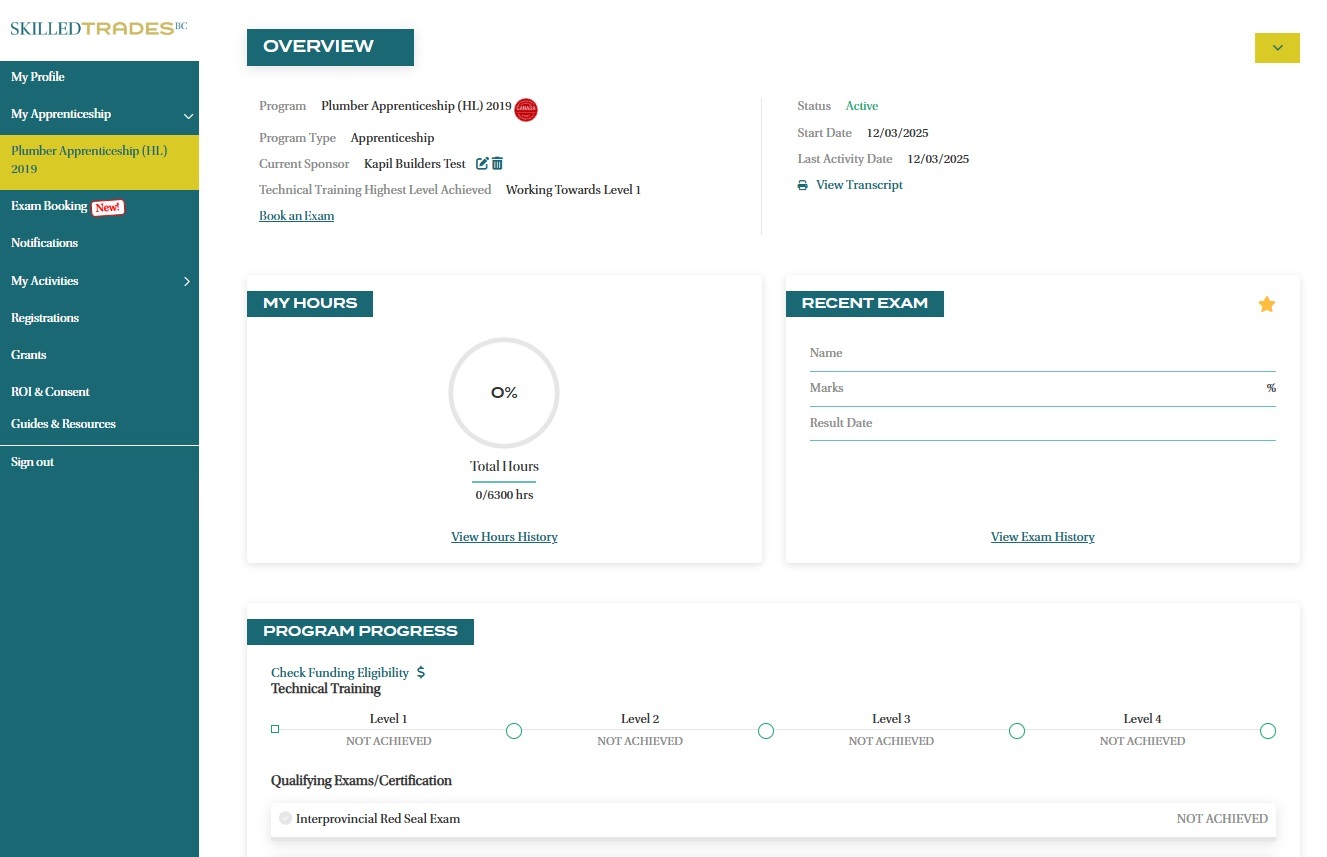
The My Apprenticeship section contains all your active apprenticeships. Clicking on your trade program name will bring up your apprenticeship progress including the following and more:
- Current Sponsor
- Status
- Program Start Date
- Last Activity Date
- Program Transcripts
- Total Work-Based Training Hours and History
- Exam Results and History
- Certifications
- Course Results and History
- Highest Level Achieved
Exam Booking
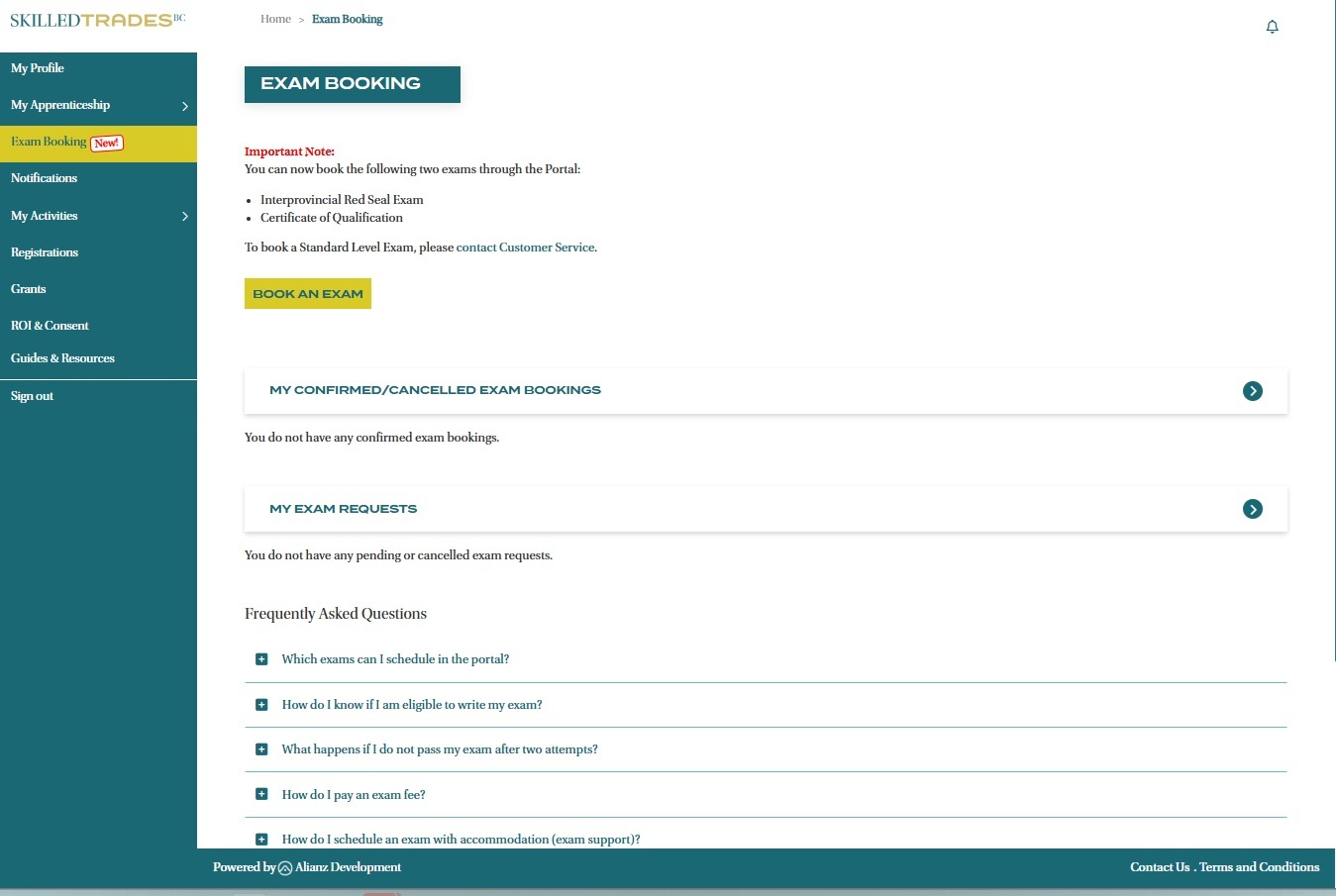
Book your Interprovincial Red Seal or Certificate of Qualification Exams online through the Exam Booking section.
Note: The Standard Level Exams must be booked through Customer Service.
Notifications
View any notifications from SkilledTradesBC that require your attention or action in this section.
My Activities
Under the My Activities tab, you can:
- Create a request for Document Replacement (eg. Certificate of Qualification Wallet Card, Certificate of Apprenticeship Wall Certificate, Welder Logbook).
- Create an Apprenticeship Request to our Customer Service team.
- View the My Tasks section, which allows our Customer Service team to assign you tasks and reminders for important deadlines.
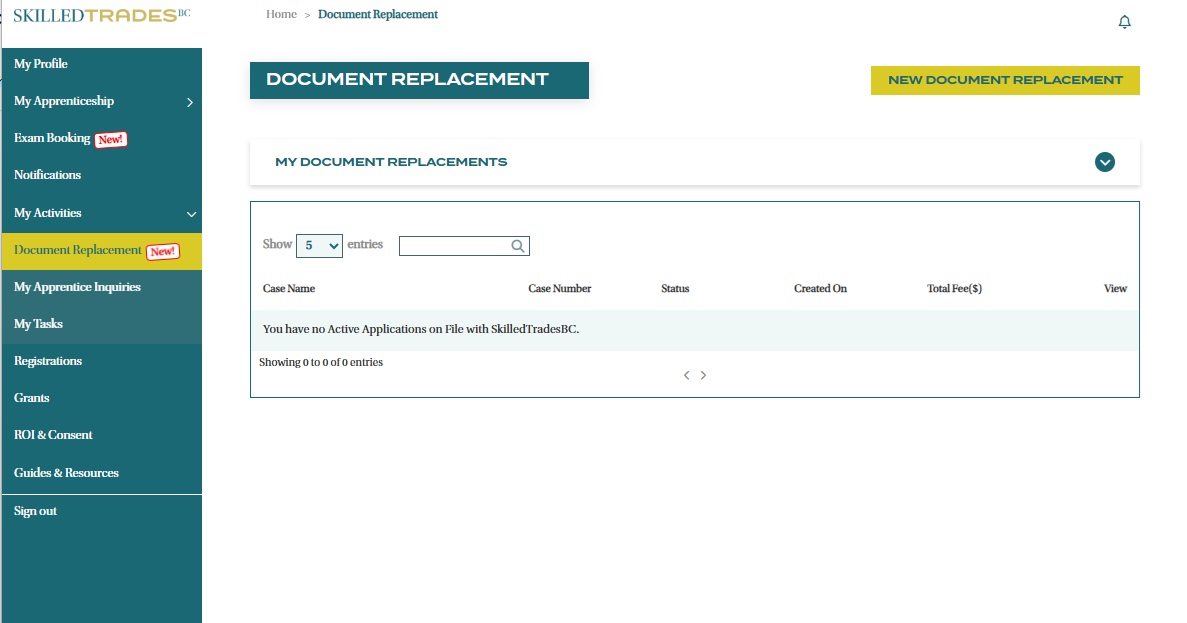
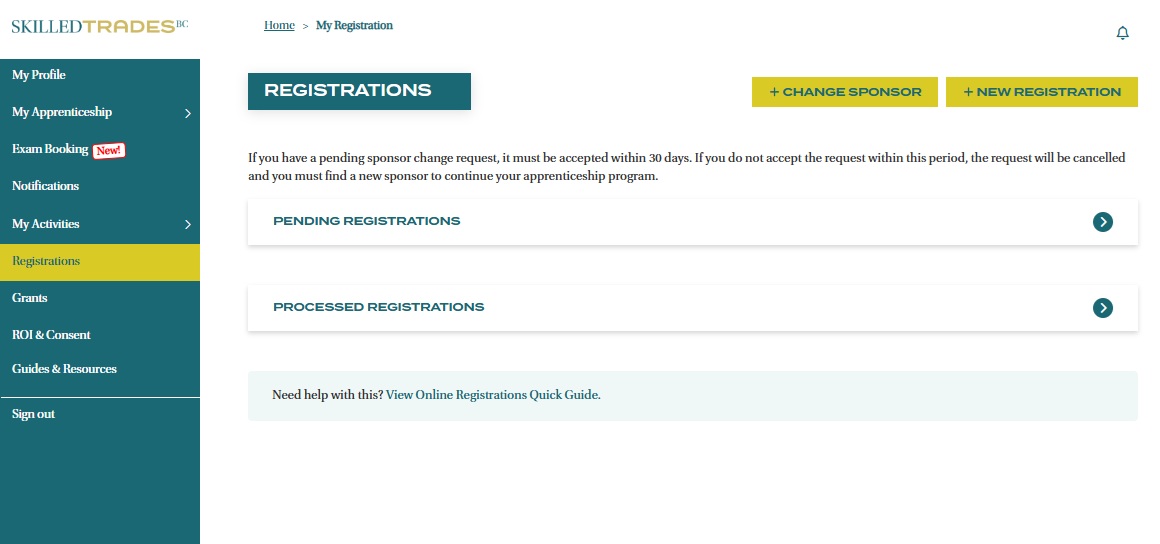
Registrations
In this section, you can register for a new apprenticeship program, view your pending registrations, or start the process to change your sponsor.
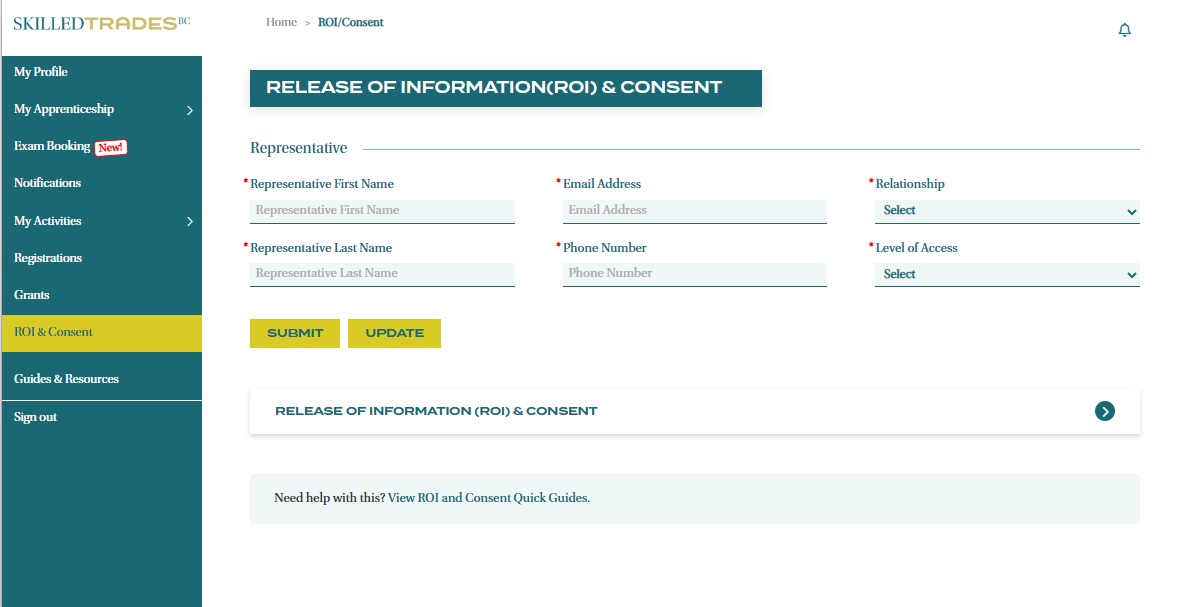
ROI & Consent
ROI (Release of Information) & Consent allows you to give authorized representatives permission to update your apprenticeship information, and for SkilledTradesBC to release information to them.
In this section, you can add, remove, or edit your authorized representatives, such as relatives, partners, schools, employers or counsellors.
Contact your Apprenticeship Advisor
There are two ways to find your Apprenticeship Advisor’s contact information:
- On your Profile Summary page, click on the “Contact Advisor” button in the top right corner.
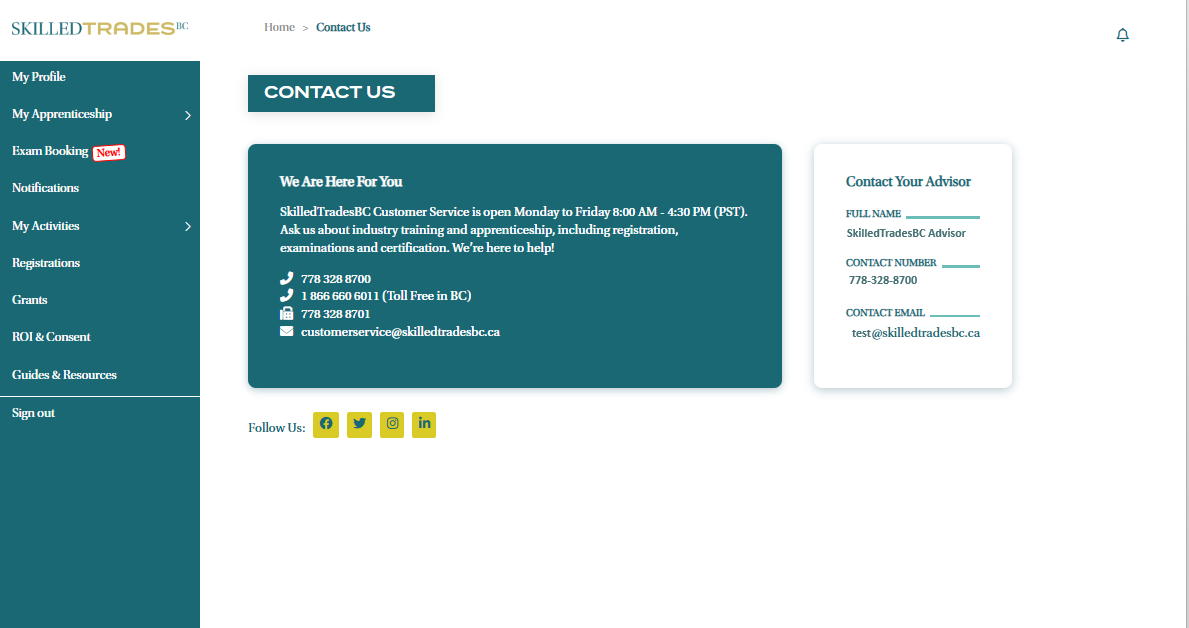
- In the footer, click “Contact Us” to find contact information for Customer Service on the left and the contact information for your regional Apprenticeship Advisor listed in the “Contact Your Advisor” box on the right.
Need help?
Contact us by:
- Submit inquiries through “My Apprentice Inquiries” section
- Email: customerservice@skilledtradesbc.ca
- Phone: 778 328 8700/ Toll Free in British Columbia: 1 866 660 6011
Last updated: December 2025