


Instructions
- After logging in, click on "My Apprenticeship" from the left navigation menu.
- From the drop-down menu, click on the apprenticeship program you are registered in.
-
You will see the program overview page.
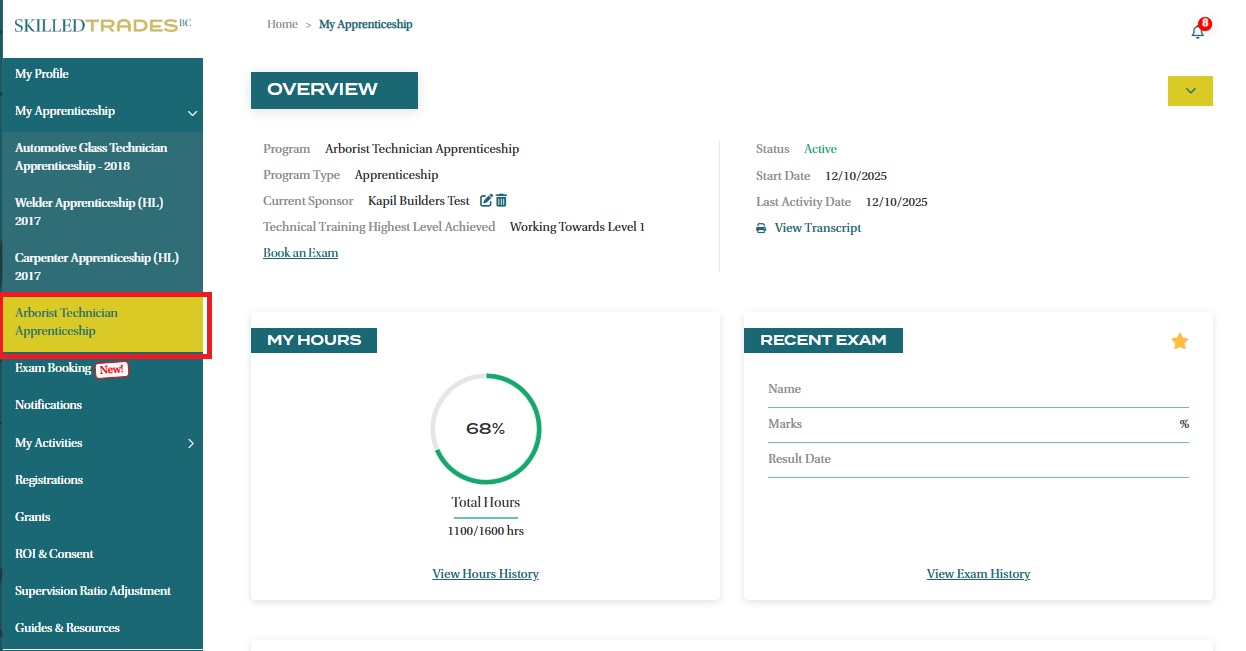
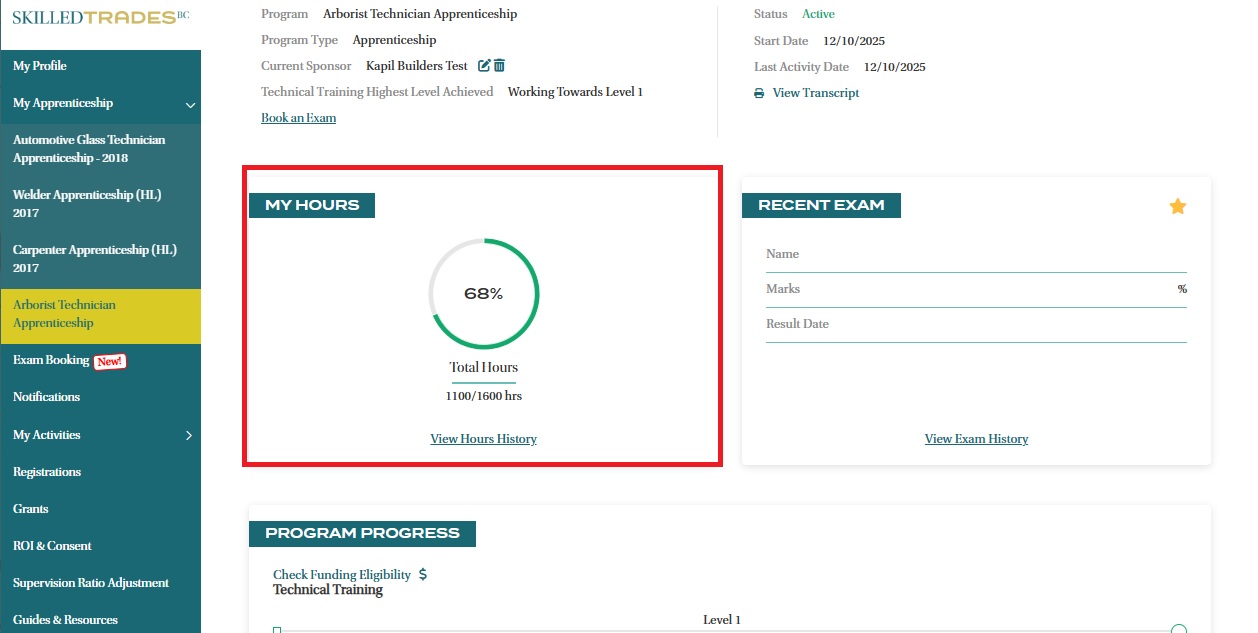
- Locate the “My Hours” section on your overview page. This section shows the total hours required to complete your apprenticeship program and the percentage of hours logged so far.
-
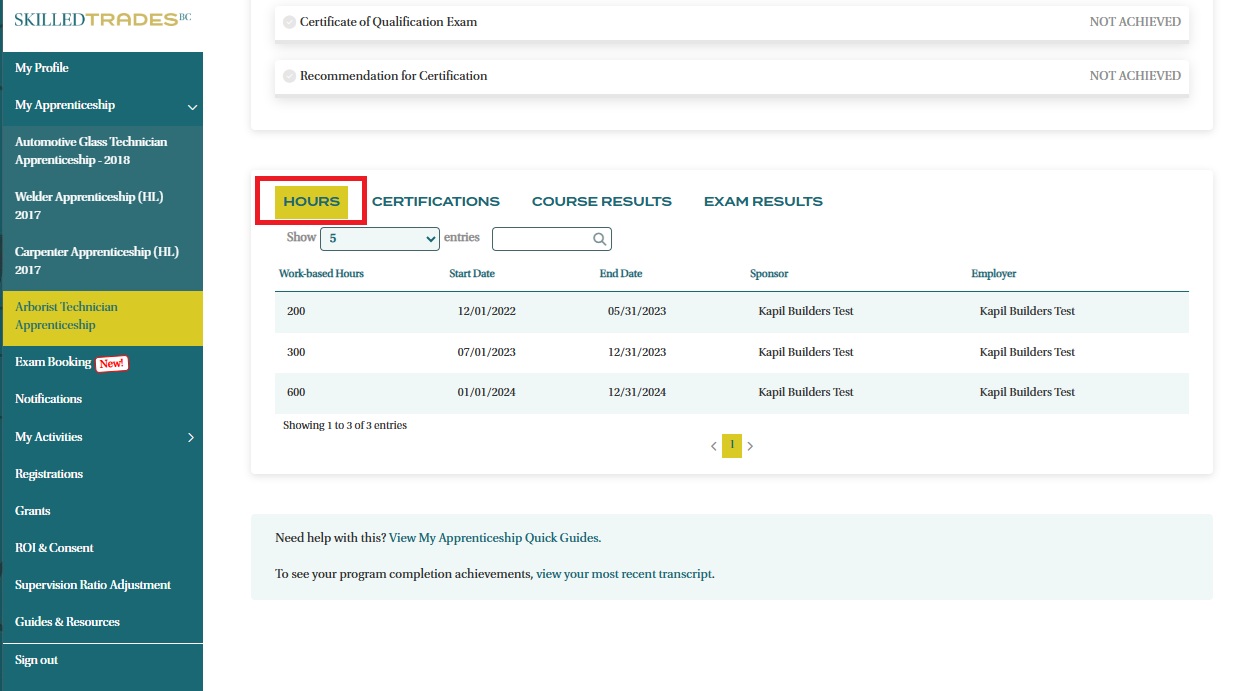
Click on “View Hours History” to see a detailed breakdown of the submitted hours.
-
Each entry contains:
- Work Based Hours submitted
- Report period Start Date
- Report period End Date
- Sponsor and Employer who submitted the hours
Need help?
Contact us by:
- Submit inquiries through “My Apprentice Inquiries” section
- Email: customerservice@skilledtradesbc.ca
- Phone: 778 328 8700/ Toll Free in British Columbia: 1 866 660 6011
Last updated: December 2025