


Introduction
You can submit an inquiry or customer service request through “My Apprentice Inquiries”.
- After logging in, click on “My Activities” from the left navigation menu.
- Select “My Apprentice Inquiries” from the drop-down menu.
- Click “New Request” button.
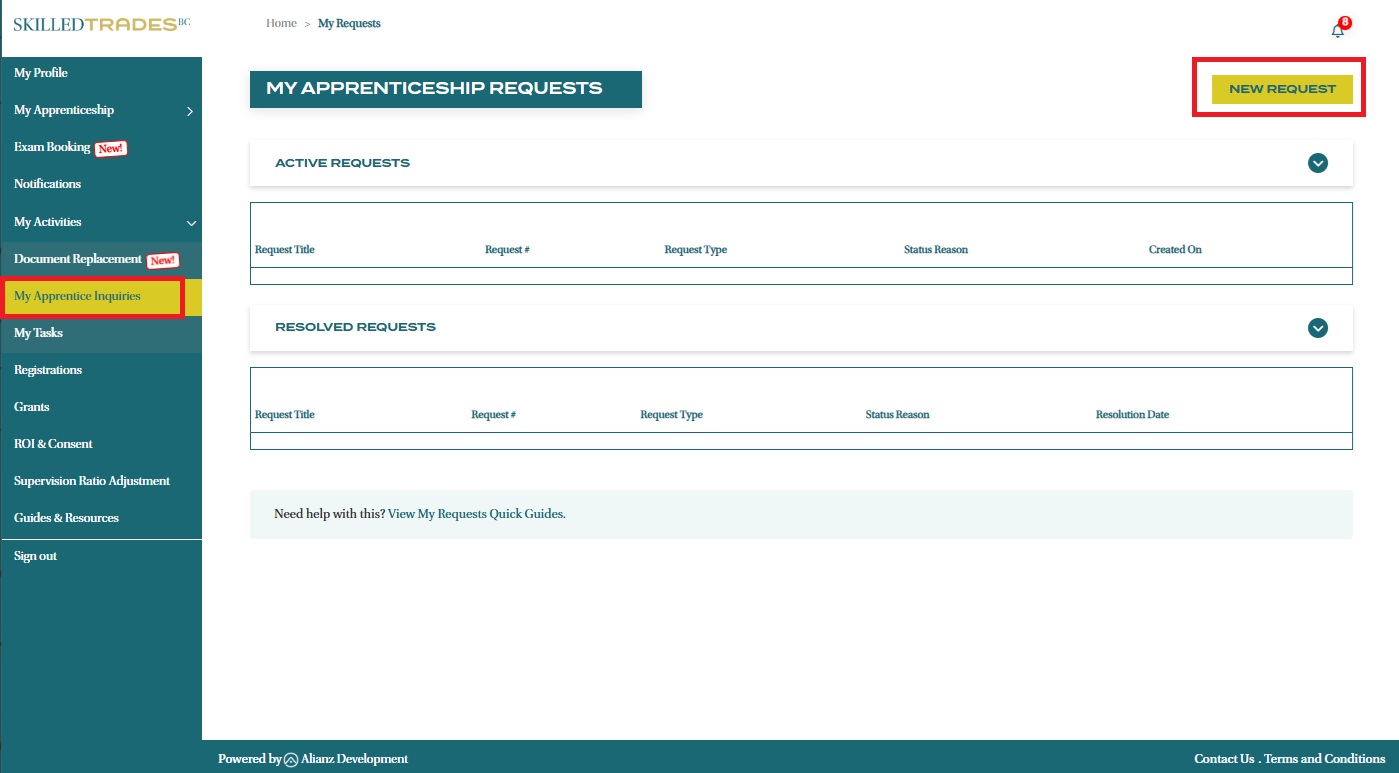
- Complete the form with the required information:
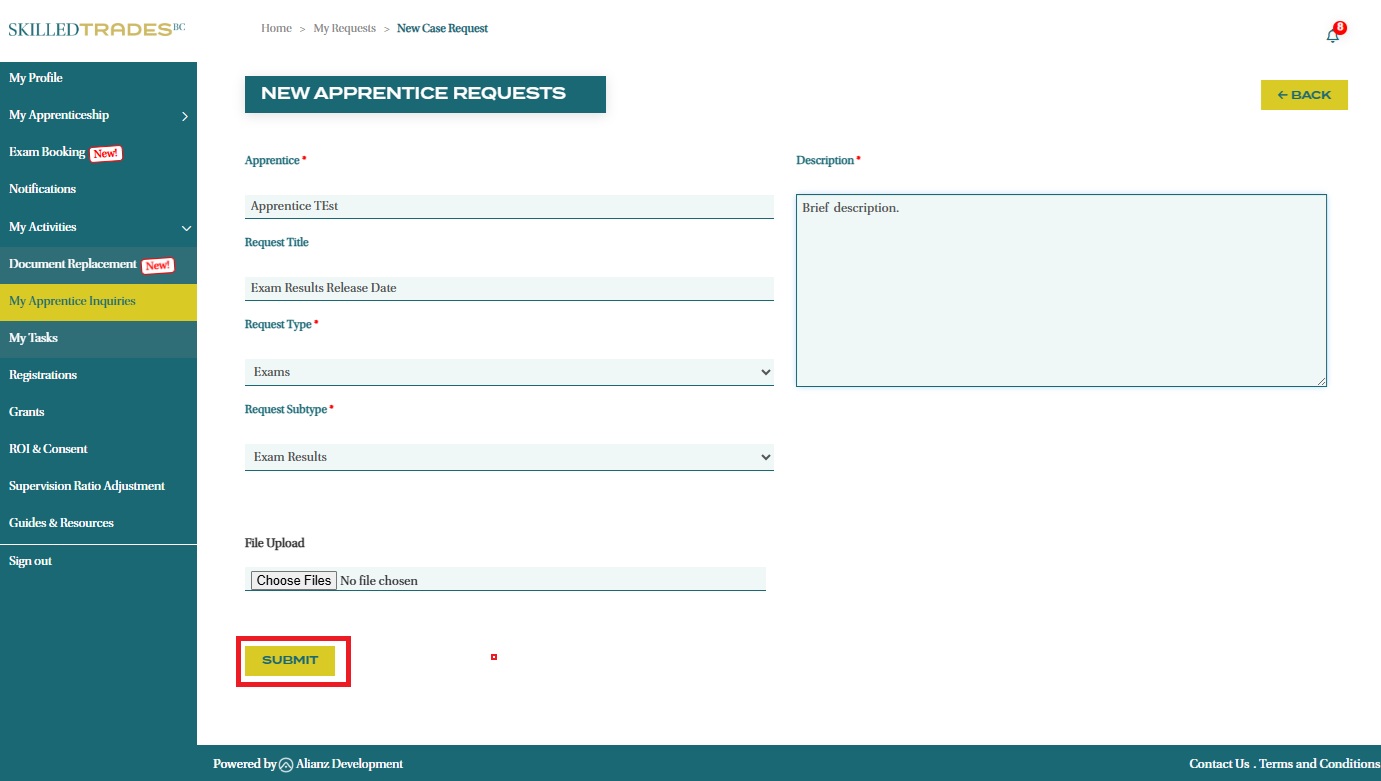
- Request Title: Create a brief, descriptive title for your inquiry (e.g., Exam Results Release Date).
- Request Type and Subtype: Select the appropriate category from the dropdown menu.
- Supporting Documents: Click “choose file” to upload any relevant documentation. For instance, when requesting a name change, include a copy of your Government ID.
- Brief Description: Provide a detailed summary of the request. The more specific information you include, the faster we can process your inquiry.
Once all required fields are completed, click “Submit” to send your inquiry.
- Your new inquiry will be listed under Active Requests where you can monitor its status.

- Once your request has been completed, it will appear under the Resolved Requests section.
Need help?
Contact us by:
- Submit inquiries through “My Apprentice Inquiries” section
- Email: customerservice@skilledtradesbc.ca
- Phone: 778 328 8700/ Toll Free in British Columbia: 1 866 660 6011
Last updated: December 2025