


View My Exams
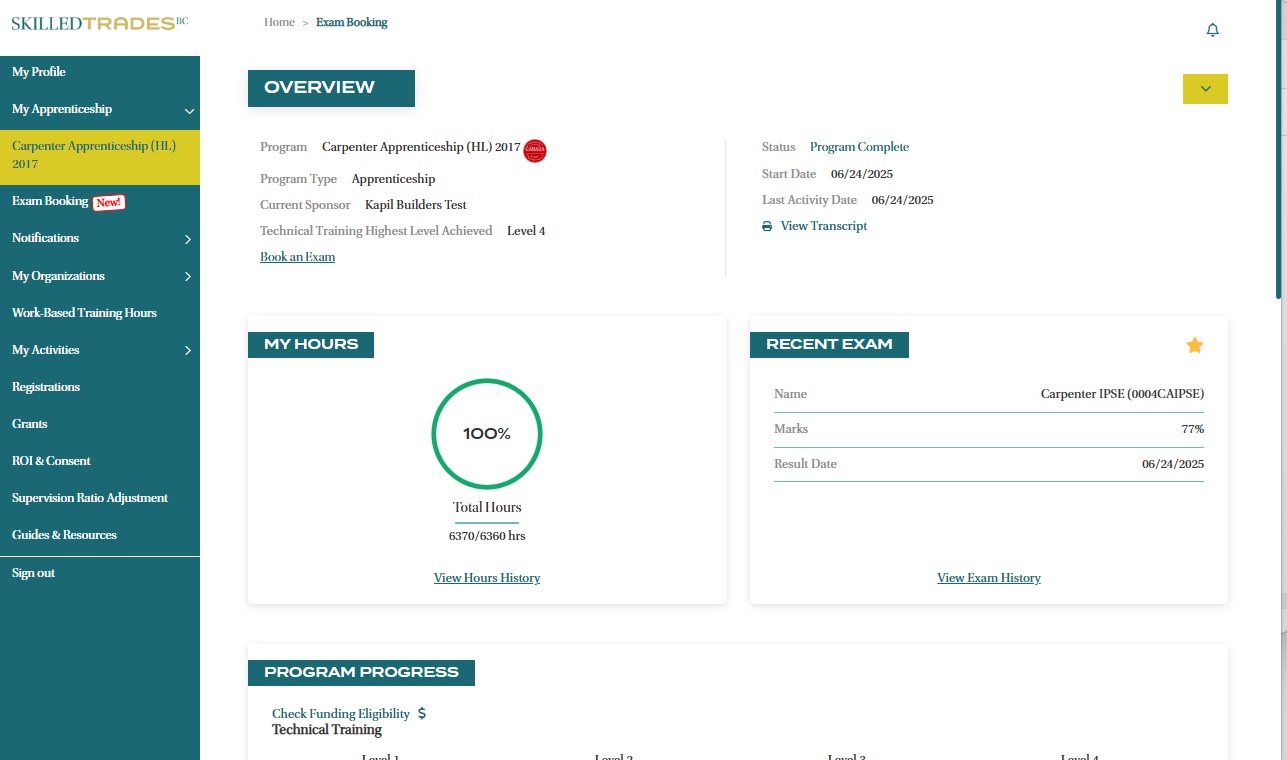
- After logging in, click on “My Apprenticeship” from the left navigation menu.
- Click on the program name to view details.
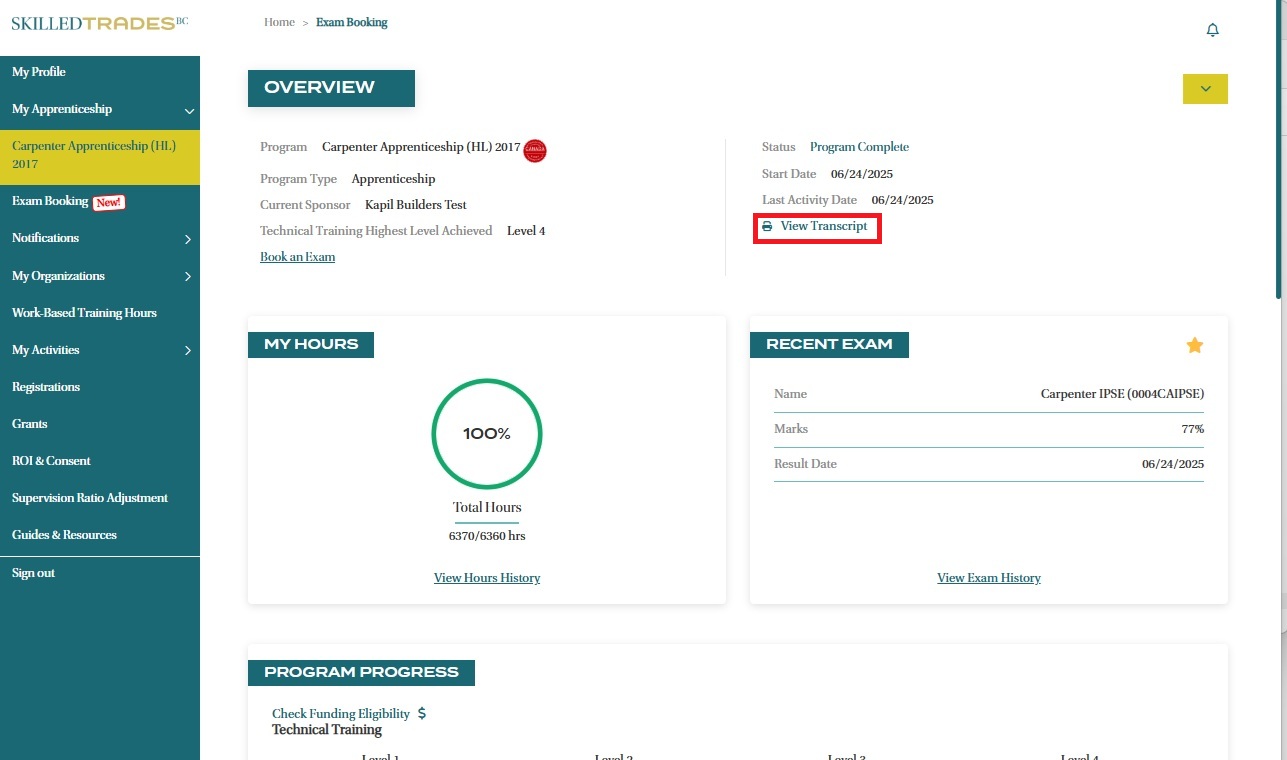
View Transcript
- You can access the most recent transcript by clicking on “View Transcript”.
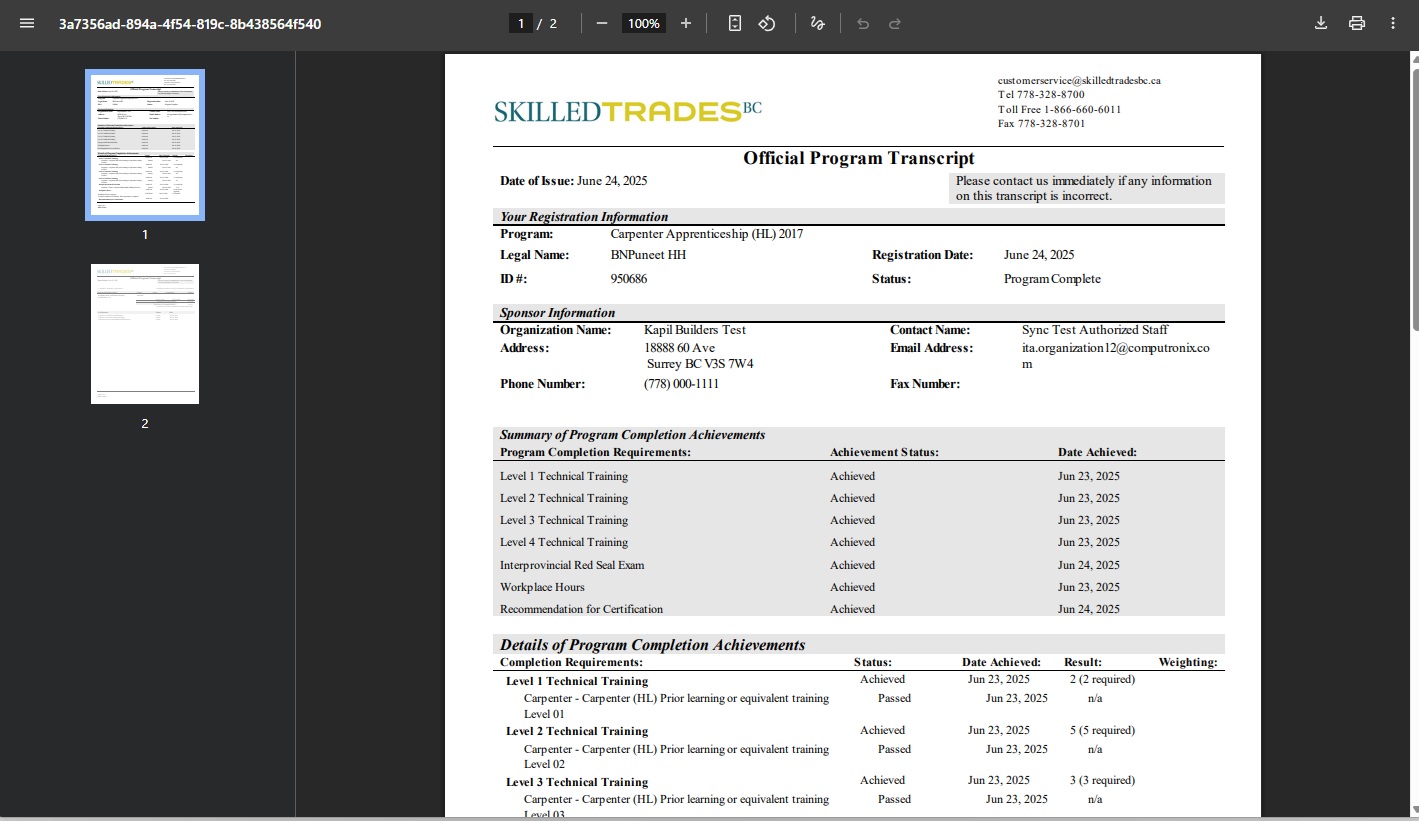
- The transcript is generated in PDF format in a new tab and can be easily saved to a device by clicking on the download option at the top right corner of the screen.
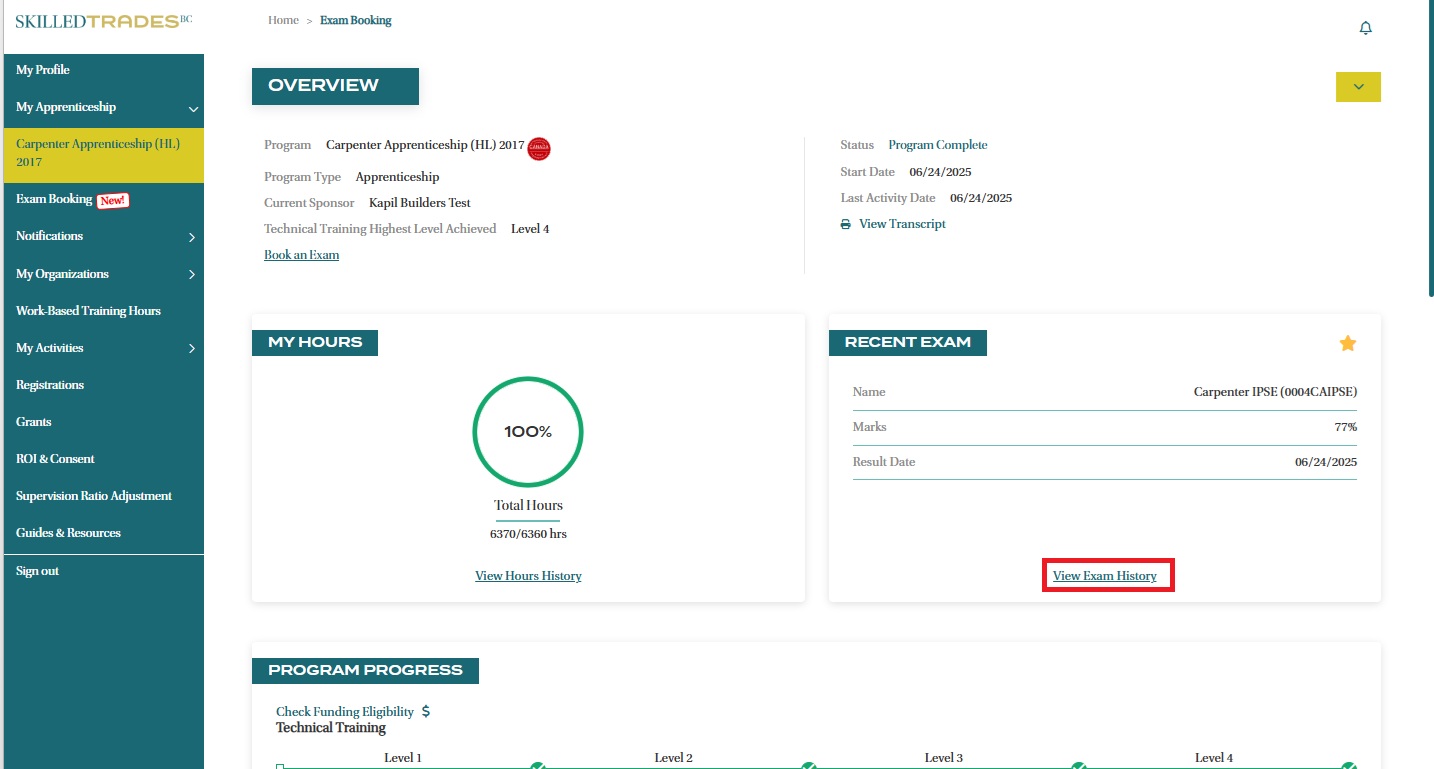
View Exam History and Results
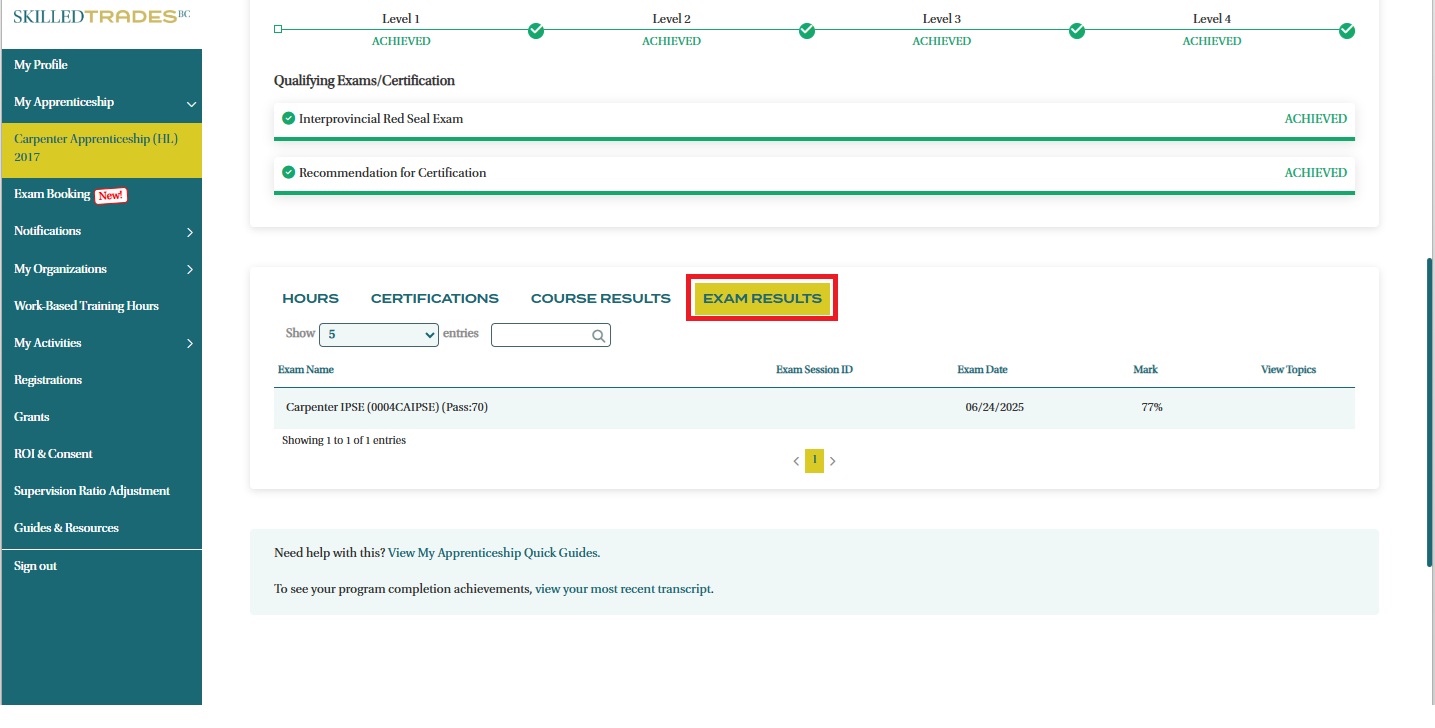
- The Recent Exam gives a snapshot of the most recent exam completed. To view details about previous exams, click on "View Exam History".
- You will be directed to the Exam Results section.
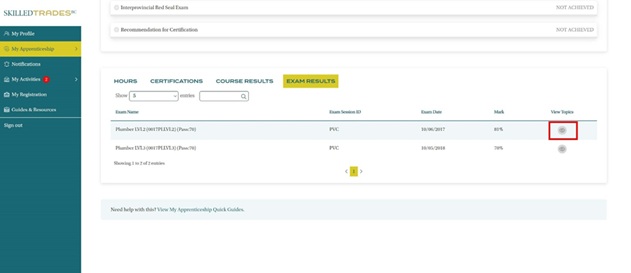
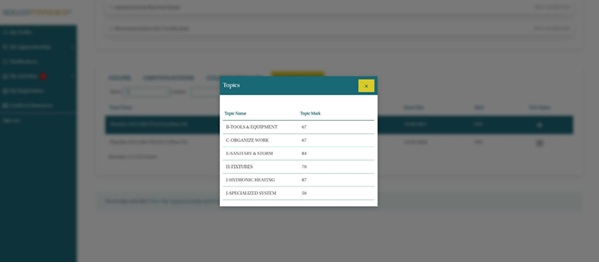
- Apprentices can click on the icon under View Topics to see the scores achieved under each topic in that exam.
Need help?
Contact us by:
- Submit inquiries through “My Apprentice Inquiries” section
- Email: customerservice@skilledtradesbc.ca
- Phone: 778 328 8700/ Toll Free in British Columbia: 1 866 660 6011
Last updated: December 2025