


If your apprentice completes an apprenticeship program registration through their Portal account, you will receive an email and notification on the Portal.
Instructions
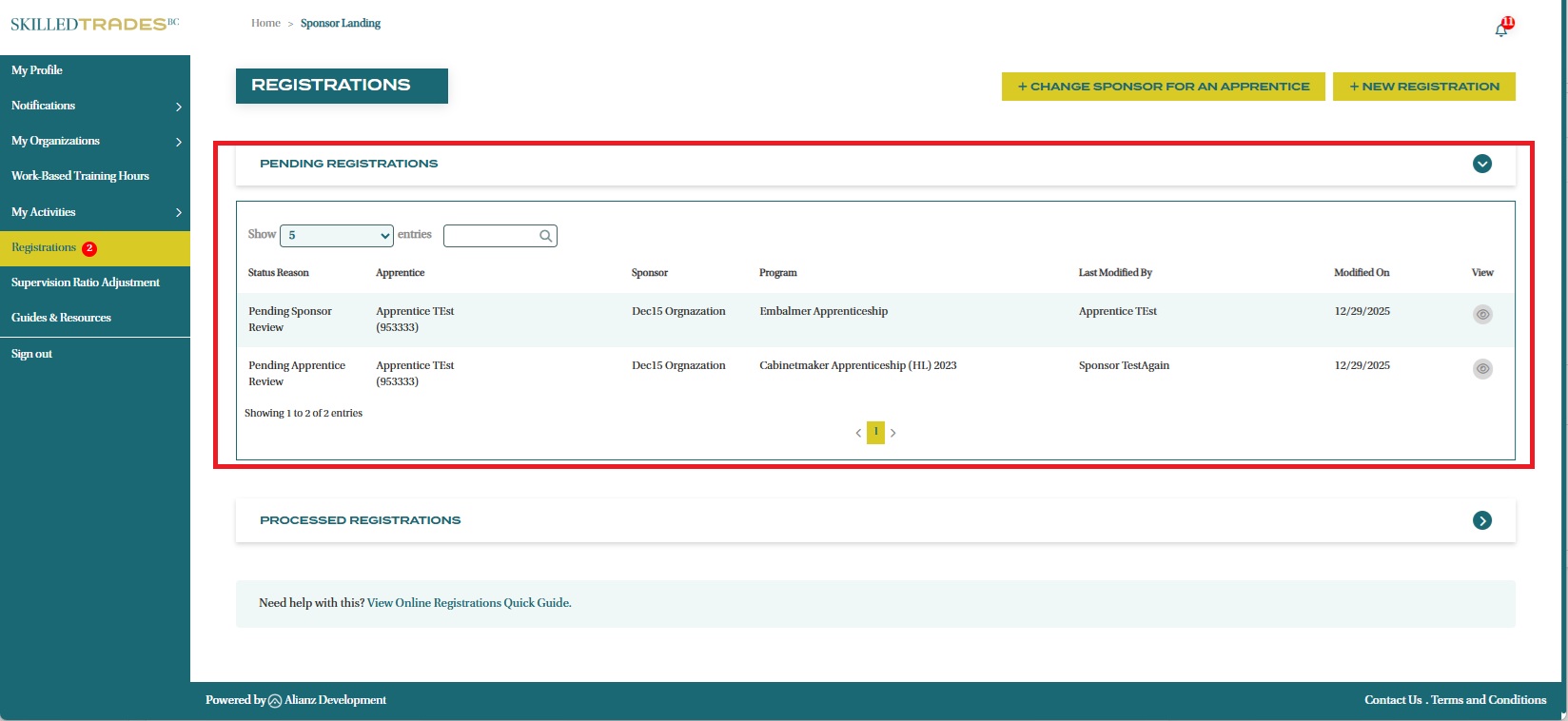
- After logging in, click on “Registrations” from the left navigation menu. Expand the “Pending Registrations” section to view all pending registrations.
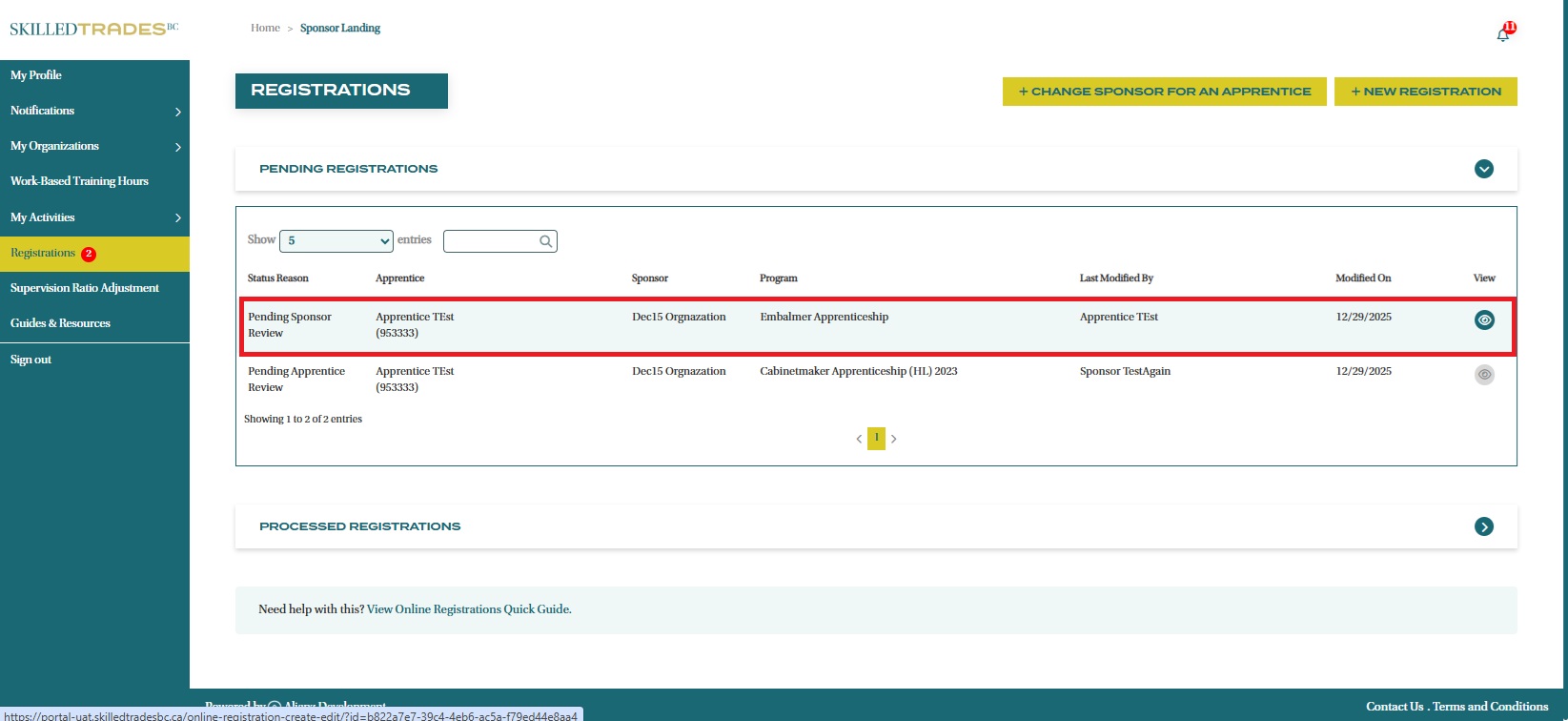
- Click on the “Eye” icon to view the submitted details.
- Review and verify the details submitted by your apprentice and ensure they are accurate. Read the Sponsor Attestation and check the attestation box.
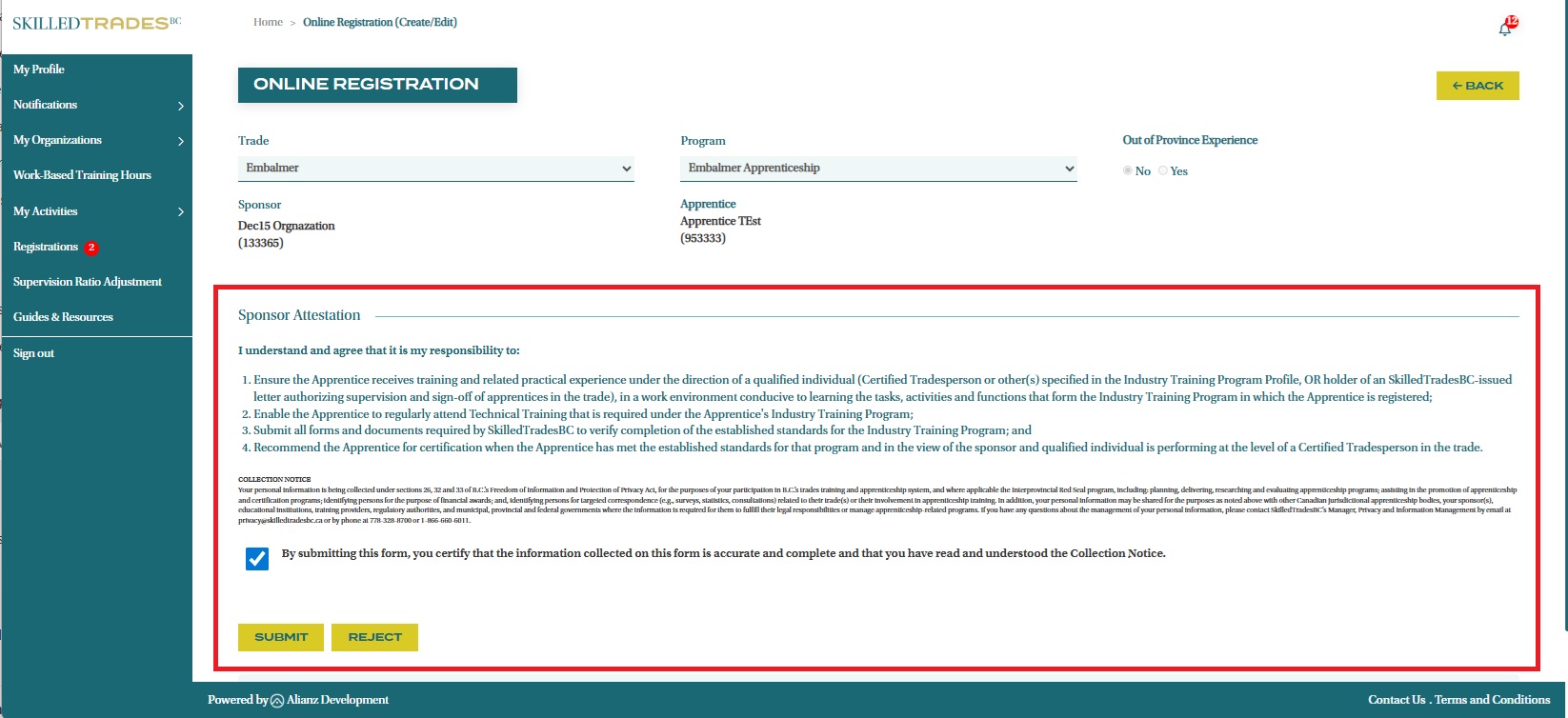
- Select the “Submit” button to approve the submission.
You may also select the “Reject” button if the information is incorrect. The registration process will need to be initiated once more by either you or your apprentice.
Your apprentice will be notified upon completion of the registration process.
Need help?
Contact us by:
- Submit inquiries through “My Sponsor Inquiries” section
- Email: customerservice@skilledtradesbc.ca
- Phone: 778 328 8700/ Toll Free in British Columbia: 1 866 660 6011
Last updated: December 2025