


This guide covers the essentials of your SkilledTradesBC Portal account:
- Create a SkilledTradesBC Portal Account
- Reset a Forgotten Portal Password
- Portal Navigation & Key Features
- My Profile
- Applications
Create a SkilledTradesBC Portal Account
- Go to https://portal.skilledtradesbc.ca/Account/Login/Register to start creating your account.
- Select the option to either:
- Apply to challenge a certification exam as a Trade Qualifier
- Apply for Temporary Authorization as an uncertified experienced worker in Skilled Trades Certification trades (compulsory trades)

- Complete all fields and click on the “Register” button to continue.
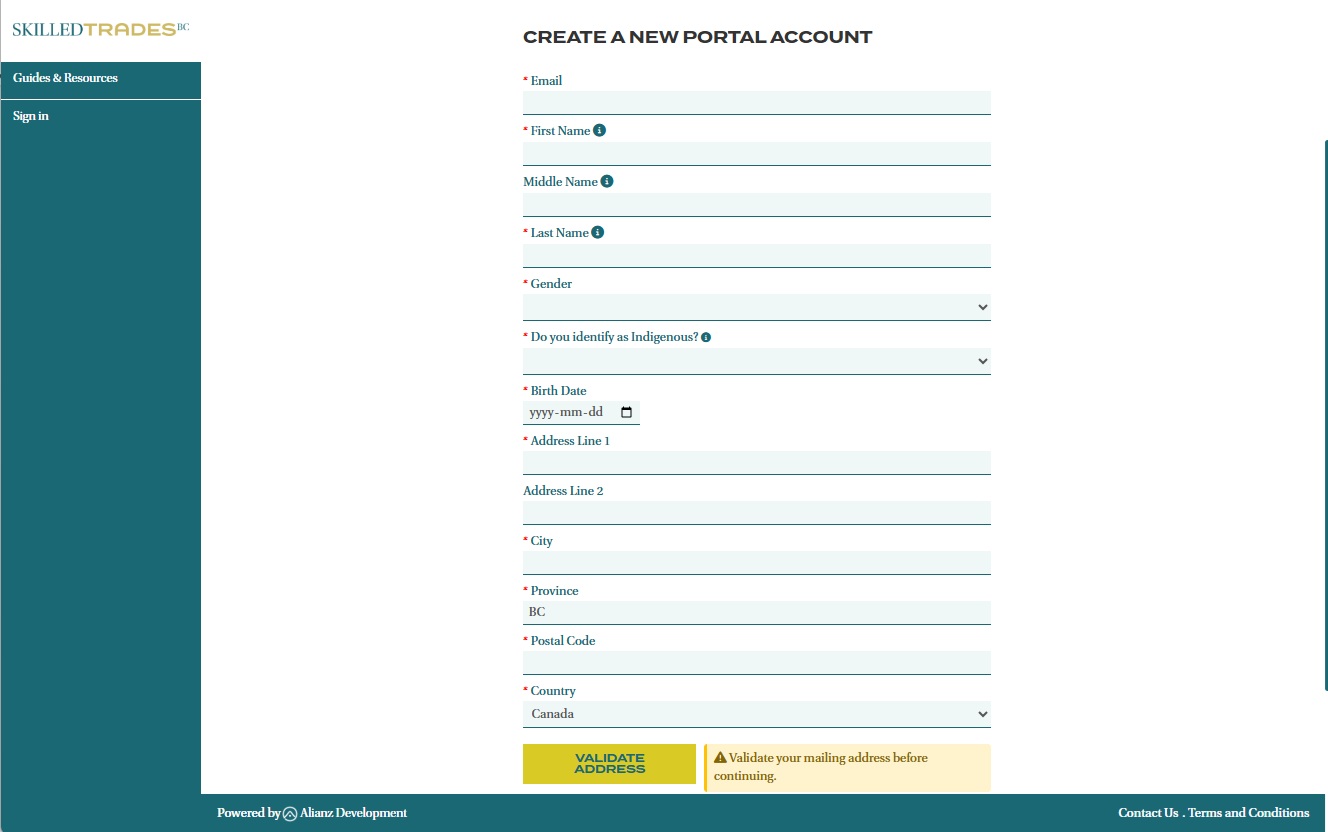
- Read through the terms and conditions for your application. Then, check “I agree to these terms and conditions” box and click on the “I agree” button to continue.

- Once your profile is created, you will receive a confirmation email from SkilledTradesBC containing an activation link. Click on this link to activate your account and return to Portal. Your account is now set up.

Reset a Forgotten Portal Password
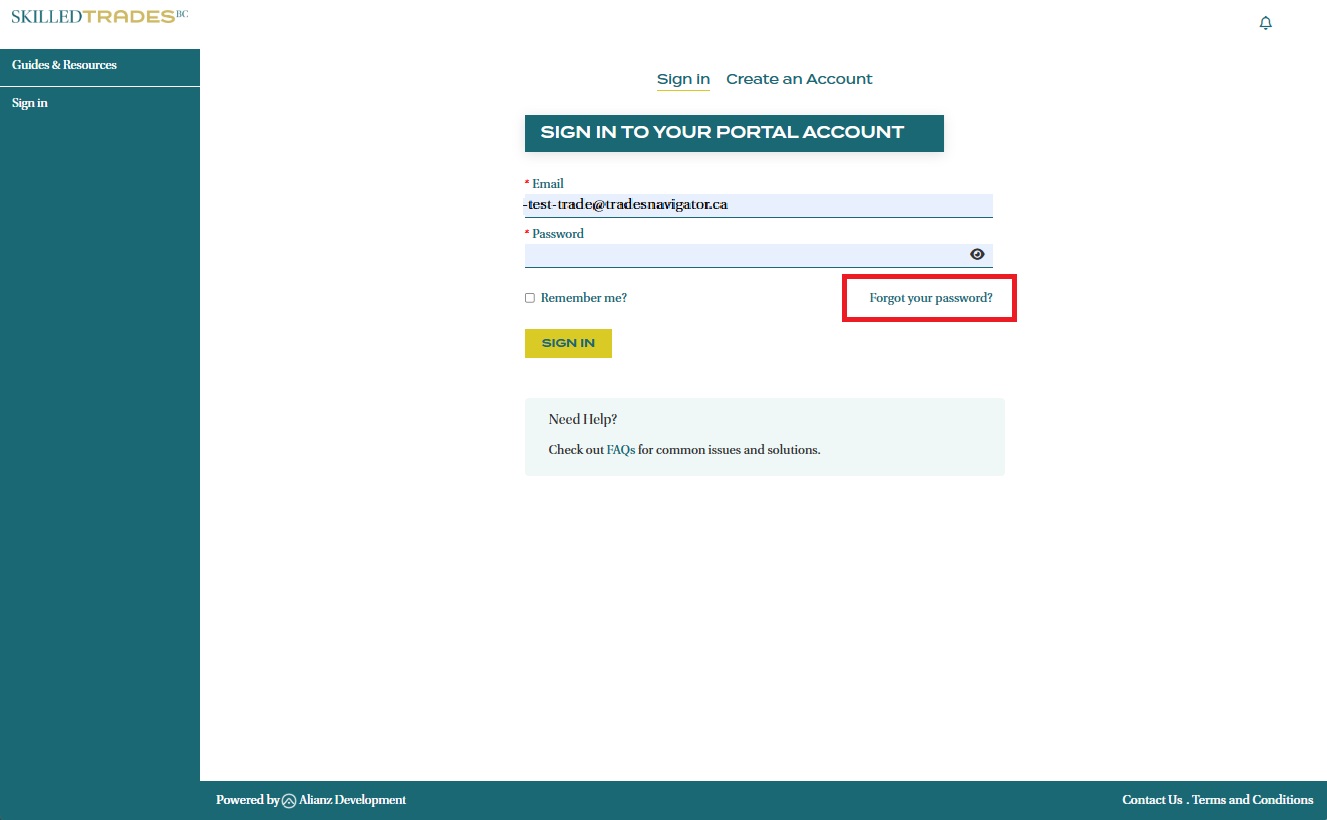
- To reset your password, click the “Forgot Your Password?” link on the Sign in page.
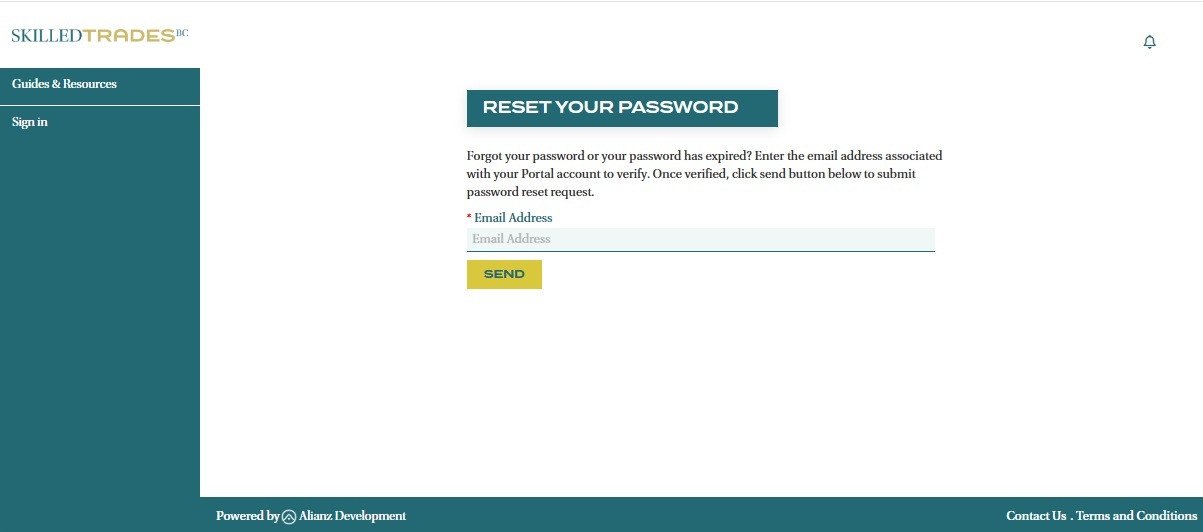
- Enter the email address you used to sign up for a SkilledTradesBC Portal account and click “Send”.
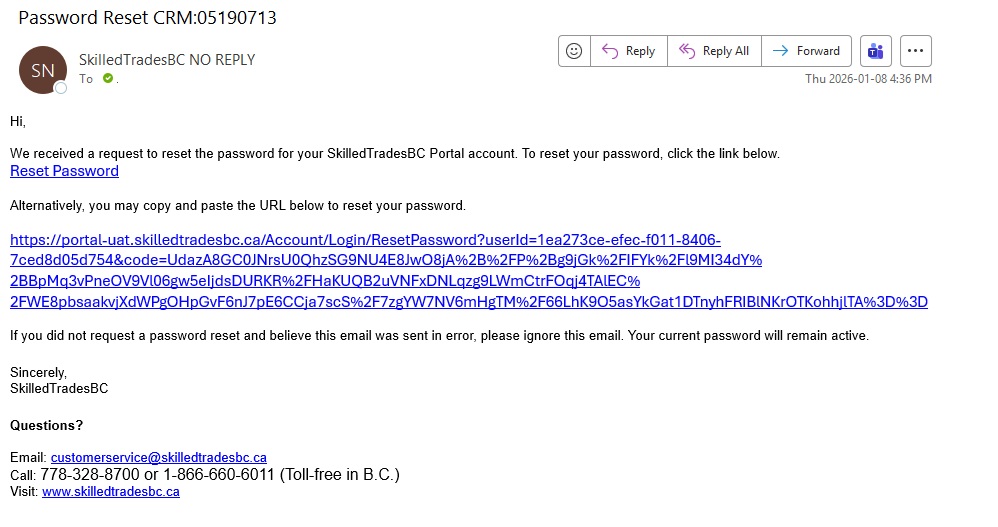
- You will receive an email from SkilledTradesBC with a link to reset your password. Click on this link to continue.
- After being redirected to the Portal, you will be prompted to reset your password.

Important: If you previously had a Direct Access account with SkilledTradesBC but haven't logged in to the Portal, you need to reactivate your access. Please contact Customer Service for assistance.
The Portal uses a security measure where an account will be locked out for 15 minutes after 5 unsuccessful login attempts. Once the 15-minute lockout period ends, you can either try your password again or choose to reset it.
Portal Navigation and Key Features
My Profile
After logging in, you will be directed to a Profile Summary page displaying your personal information. To update your information or password, click the ‘Edit’ button located on the right side of the screen.
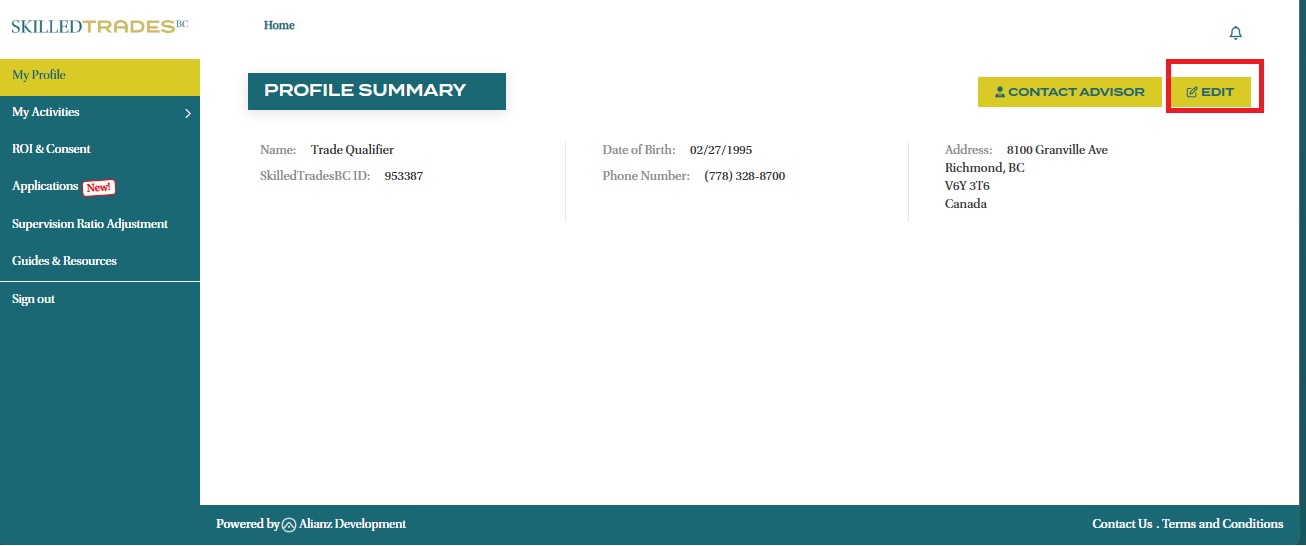
Note: To change your name, date of birth and email address, you will need to contact Customer Service.
Applications
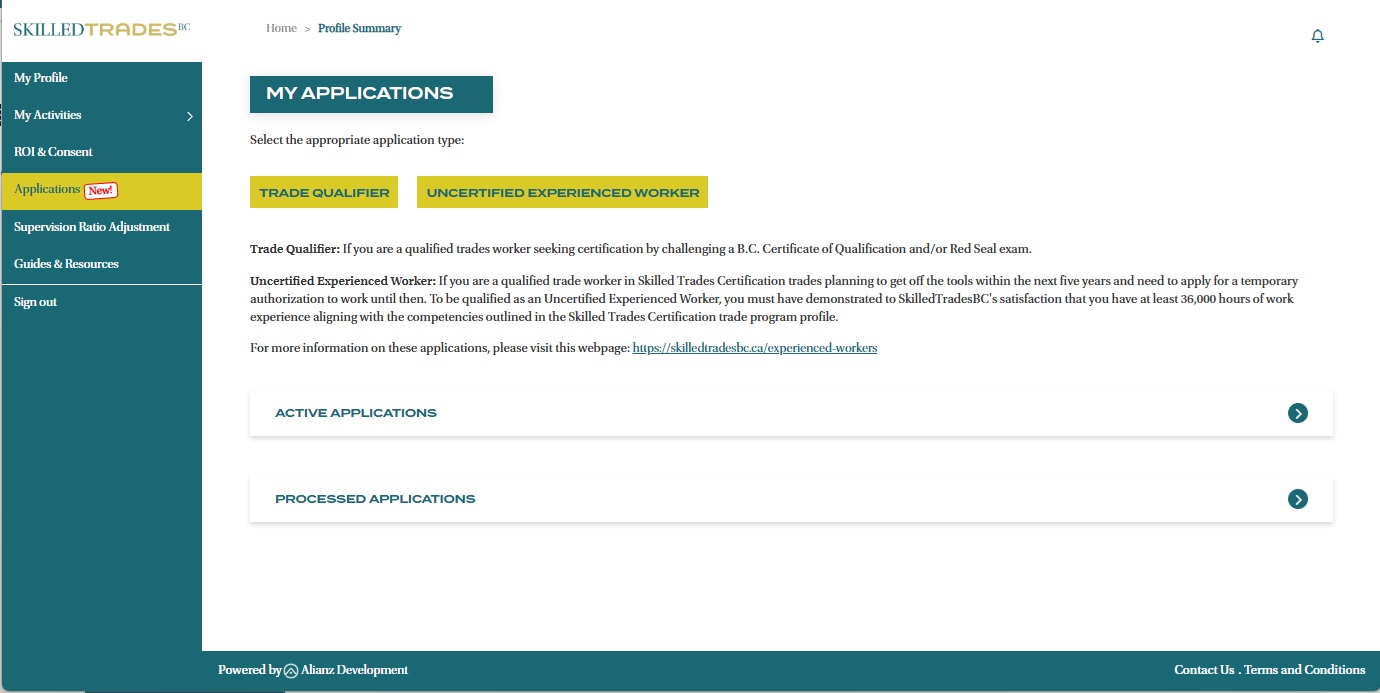
In this section, begin your online application as a Trade Qualifier or Uncertified Experienced Worker. You can also view any active applications you have submitted or drafted as well as applications that have been processed by SkilledTradesBC.
Need help?
Contact us by:
- Email: customerservice@skilledtradesbc.ca
- Phone: 778 328 8700/ Toll Free in British Columbia: 1 866 660 6011
Last updated: December 2025