


Before you begin
If your Sponsor Organization account is managed by multiple users (such as Authorized Staff members), note that only the Primary Contact user can view and edit an organization’s details. Authorized staff members have view-only access to an organization’s details.
Not sure what’s the difference between Primary Contact and Authorized Staff? See this guide for more details.
Instructions
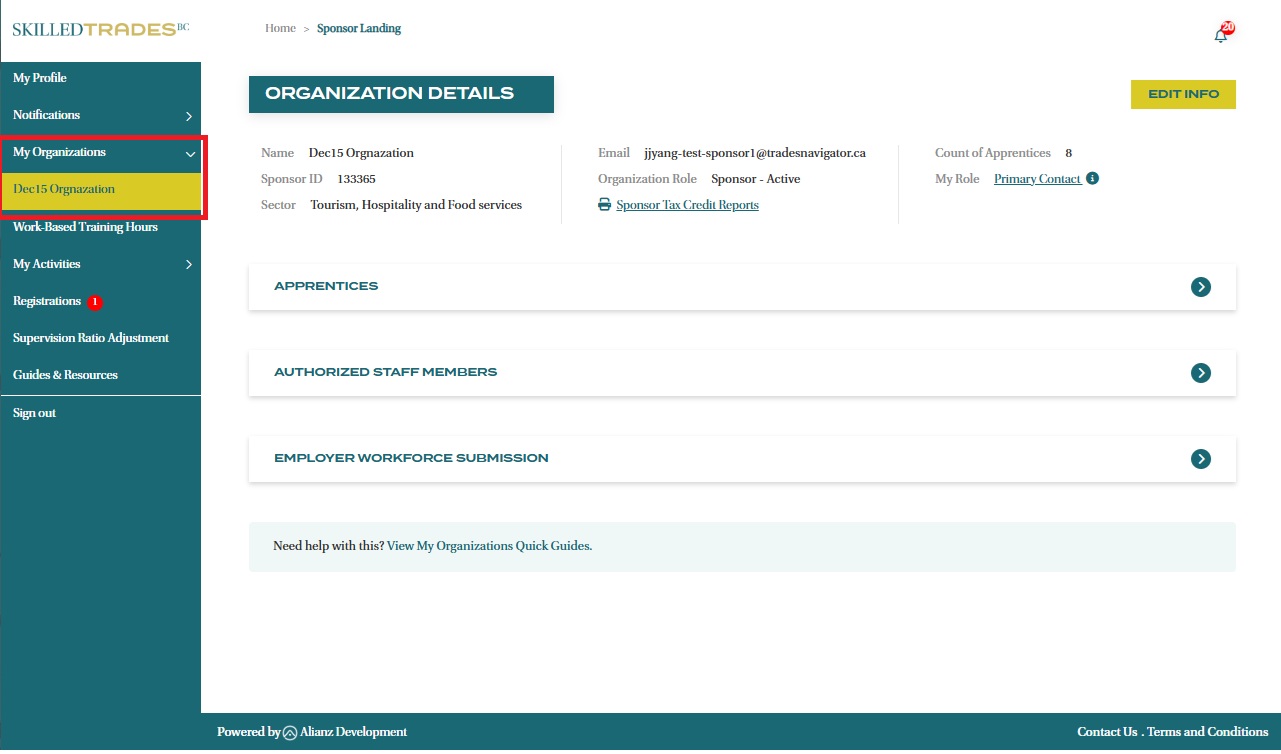
- After logging in, click on “My Organizations” from the left navigation menu and click on the name of the organization you want to edit.
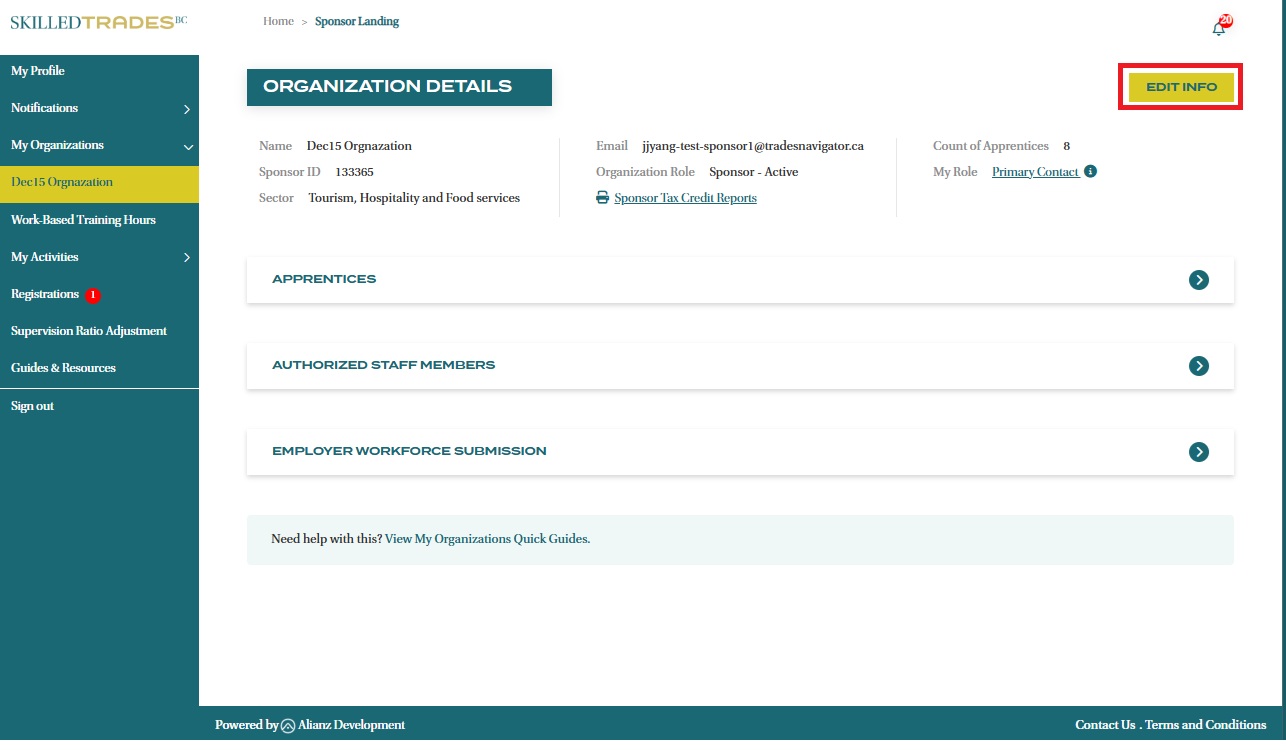
- A Primary Contact can view and edit select information about the organization by clicking on the “Edit Info” button.
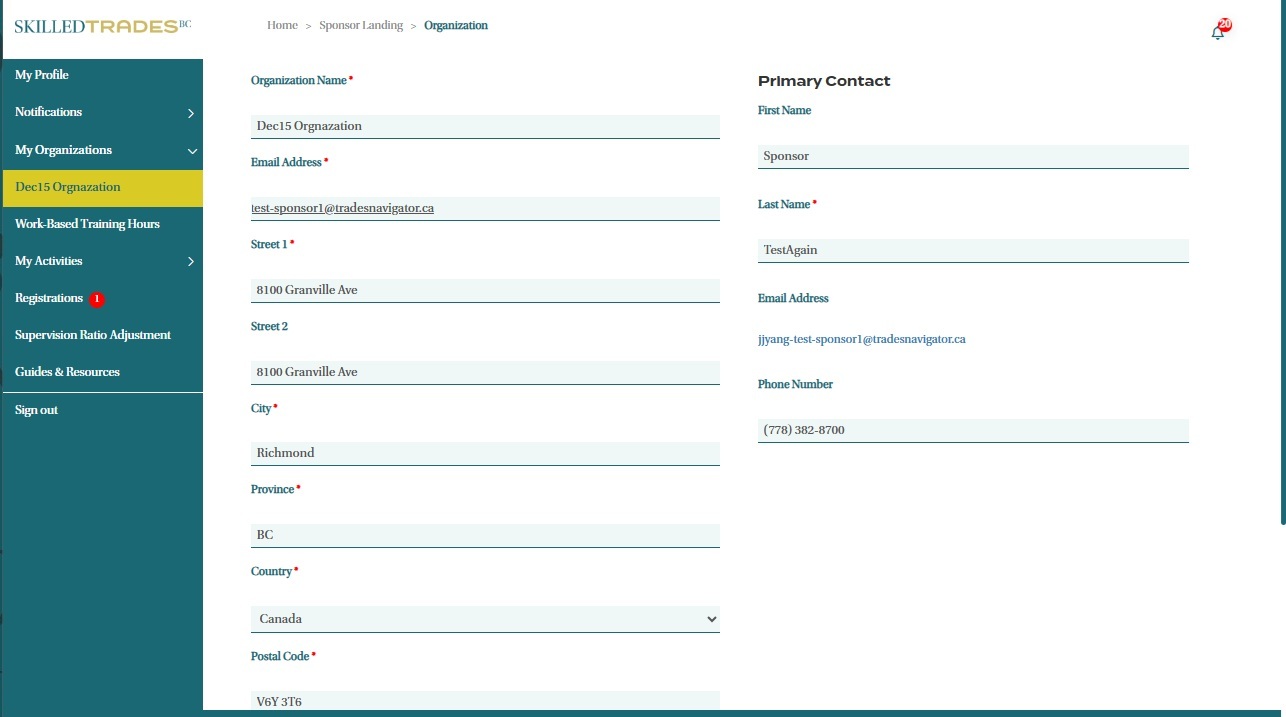
- You will be redirected to the organizational profile page. Edit any of the following fields and then click “Submit” to save your changes.
- Email Address
- Address
- Phone Number
- Sector
Need help?
Contact us by:
- Submit inquiries through “My Sponsor Inquiries” section
- Email: customerservice@skilledtradesbc.ca
- Phone: 778 328 8700/ Toll Free in British Columbia: 1 866 660 6011
Last updated: December 2025