


Note: My Payments section (which includes payment and refund history) and the refund request form are only available to Apprentices, Foundation Students, Youth Program Participants, and Trade Qualifiers.
View Your Receipts
- After logging into your account, click on “My Activities” from the left navigation menu, then click on “My Payments”.
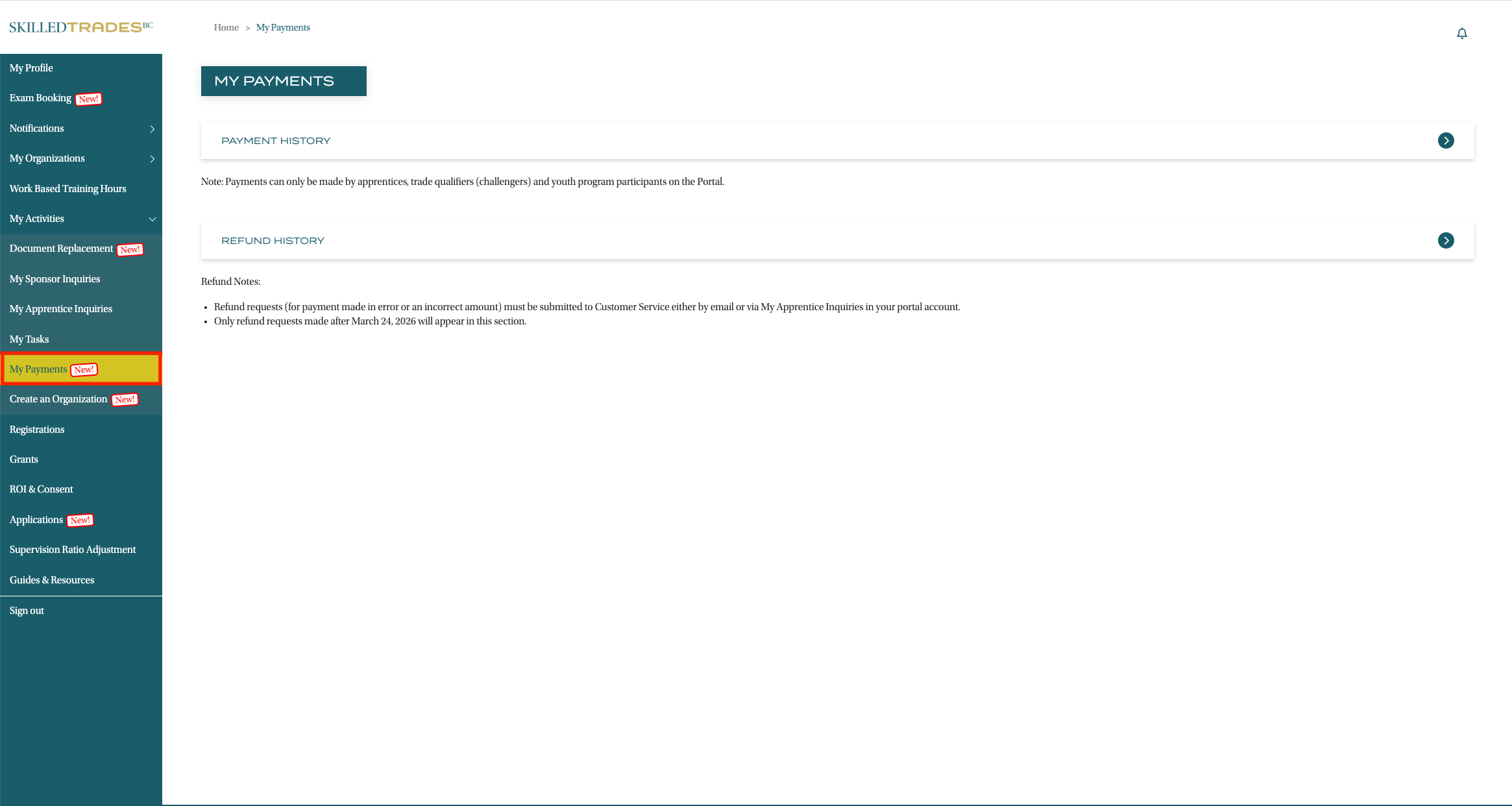
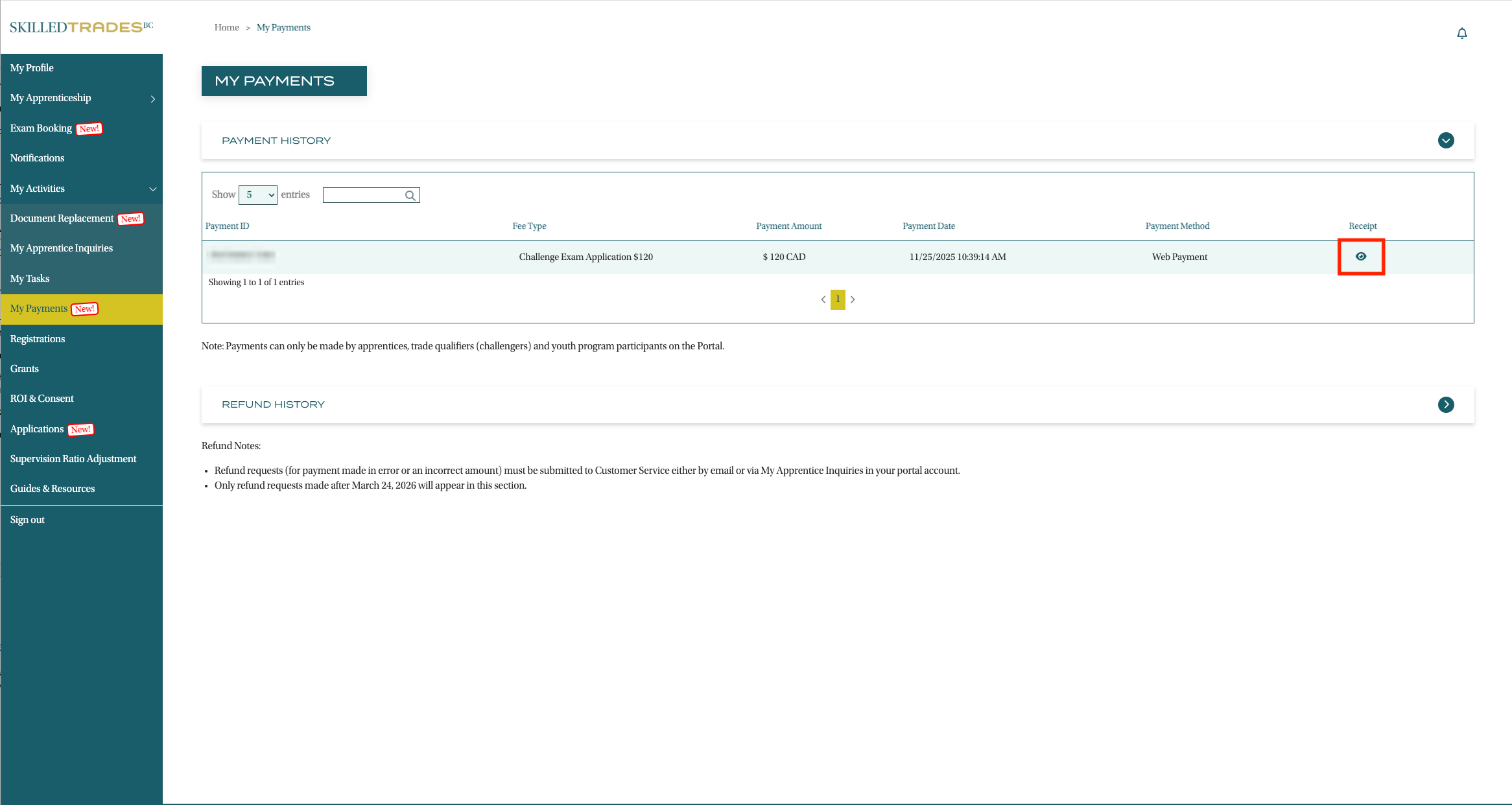
- On this page, you can view a list of payments you’ve made. Find the payment you want to view a receipt for.
- Click the icon in the last column labeled as “Receipt” to view a PDF version of your receipt.
Request a Refund
Important: Please note that only payments made in error or an incorrect amount are eligible for a refund request.
- Refunds are not automatically issued when an application for a service or exam is withdrawn or cancelled.
- Eligible refunds may take up to 45 business days to process.
- No refunds are issued if applicant withdraws from the process for any reason.
- No refunds are issued if applicant fails to attend the scheduled exam. Rescheduling fees will be applied.
- No refunds are issued to unsuccessful applicants.
- Fees must be paid in advance.
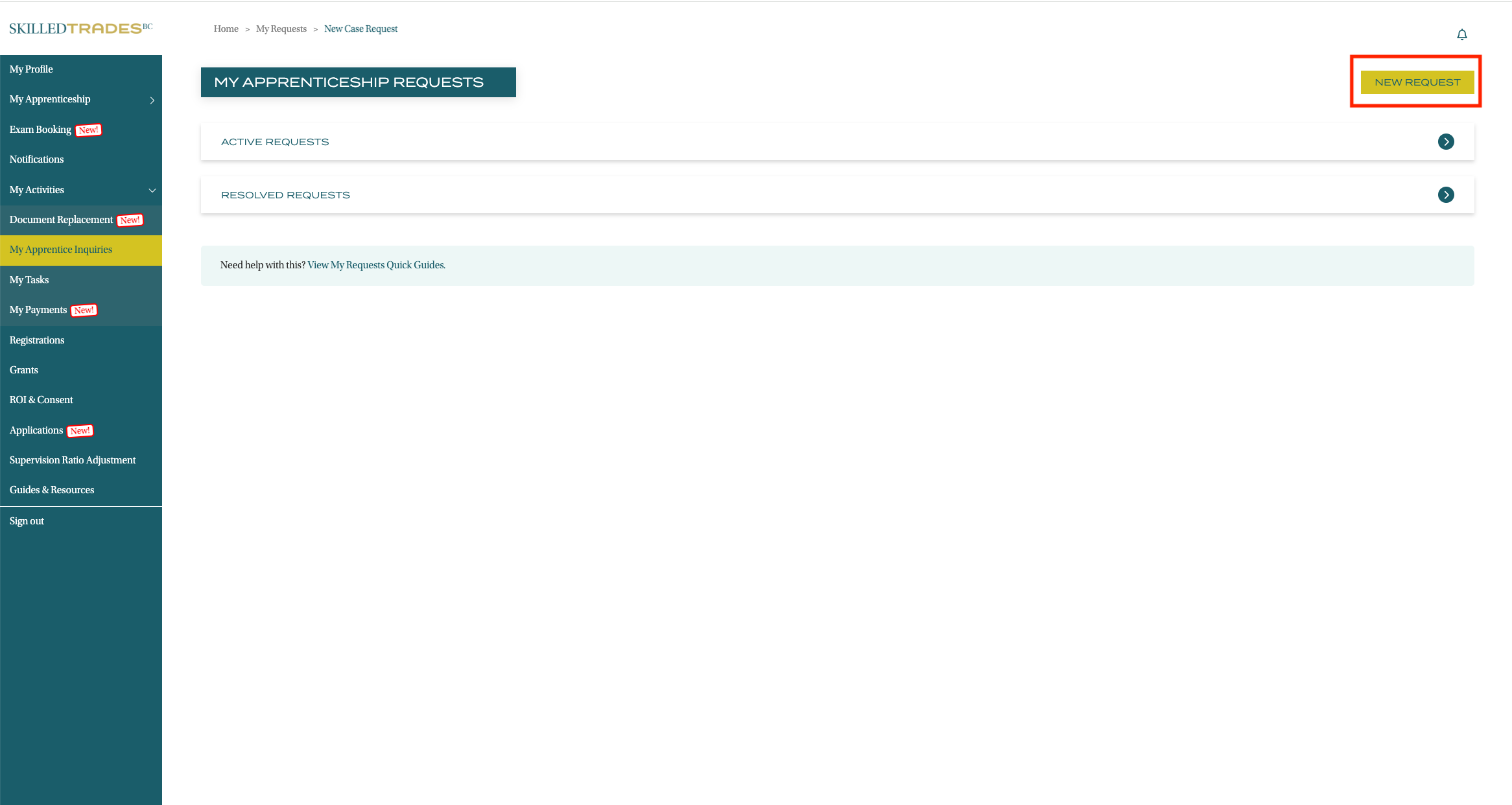
- After logging into your account, click on “My Apprentice Inquiries” from the left navigation menu, and then click on "New Request" button.
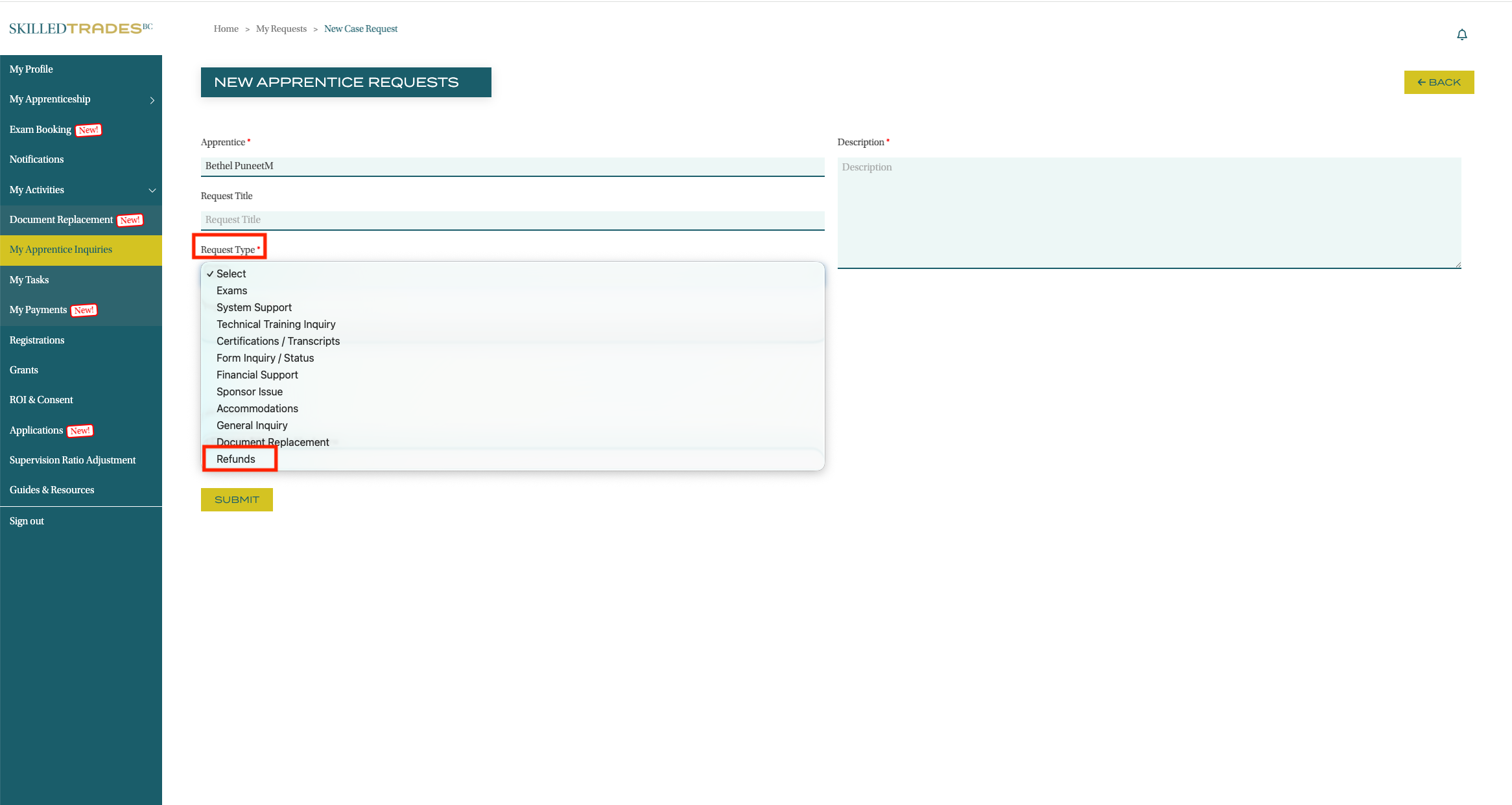
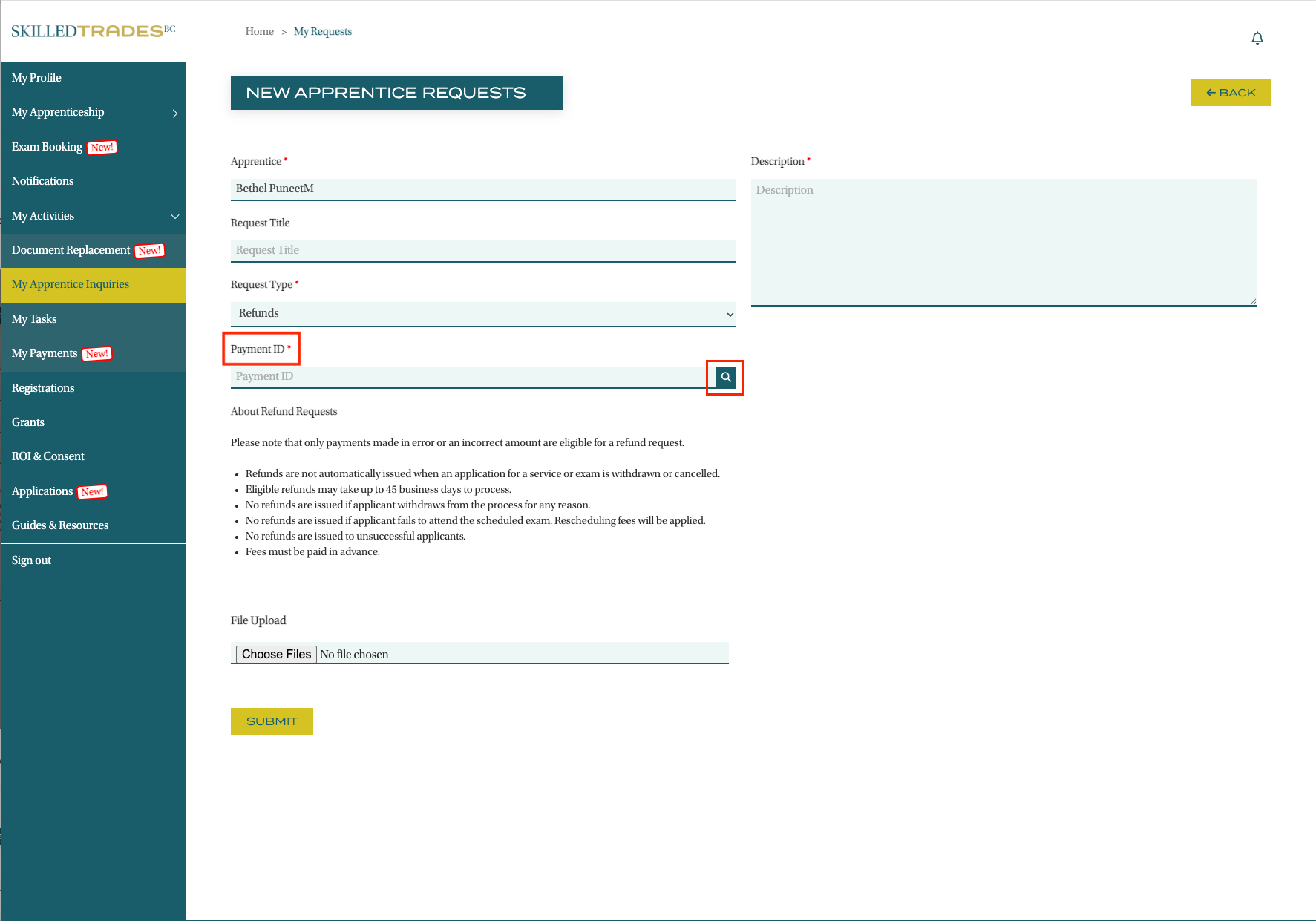
- Fill in the form fields, including your name. Under “Request Type” select “Refunds” in the drop-down menu.
- Click the search icon to use the look up tool and find the Payment ID of the payment you are requesting a refund for.
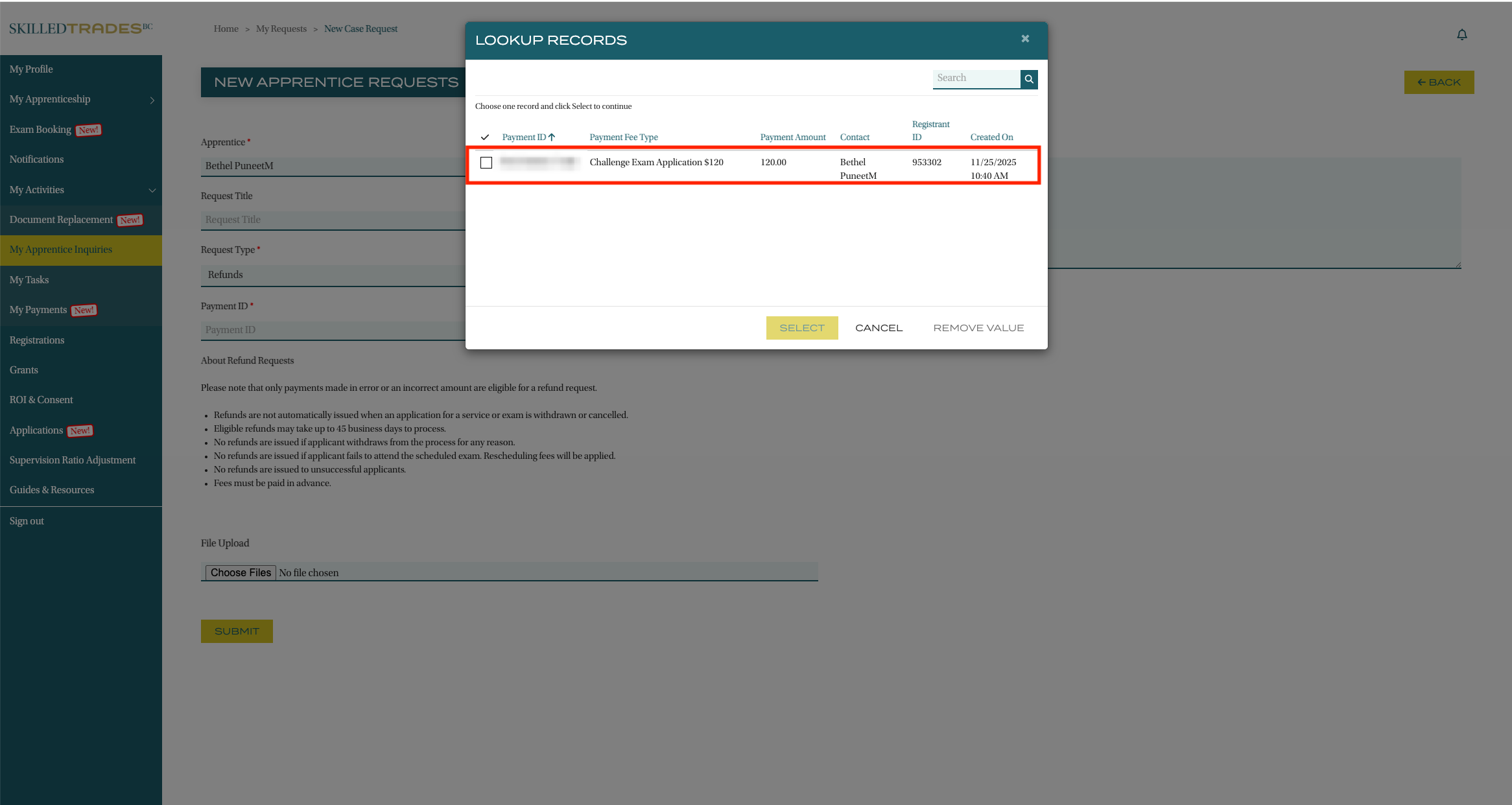
- Select the payment and click “Select” to proceed. Your request must include a payment ID.
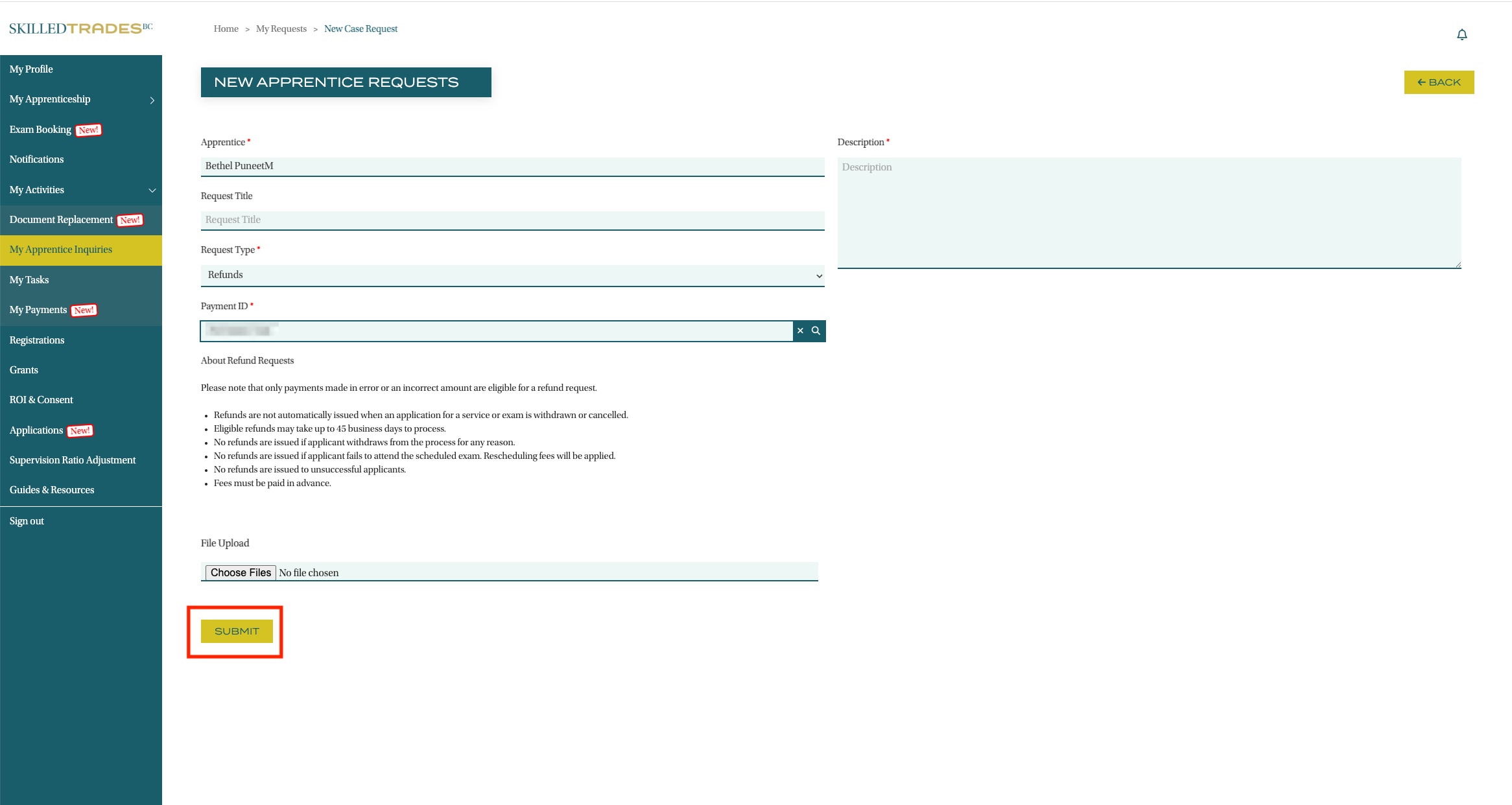
- In the Description section, provide a reason this payment is eligible for a refund. Click “Submit” to complete your refund request.
Need help?
Contact us by:
- Email: customerservice@skilledtradesbc.ca
- Phone: 778 328 8700/ Toll Free in British Columbia: 1 866 660 6011
Last updated: December 2025