


Before You Begin
Follow the instructions on the Get Started Guide for Trade Qualifier and Uncertified Experienced Workers to learn how to create your Portal account.
Instructions
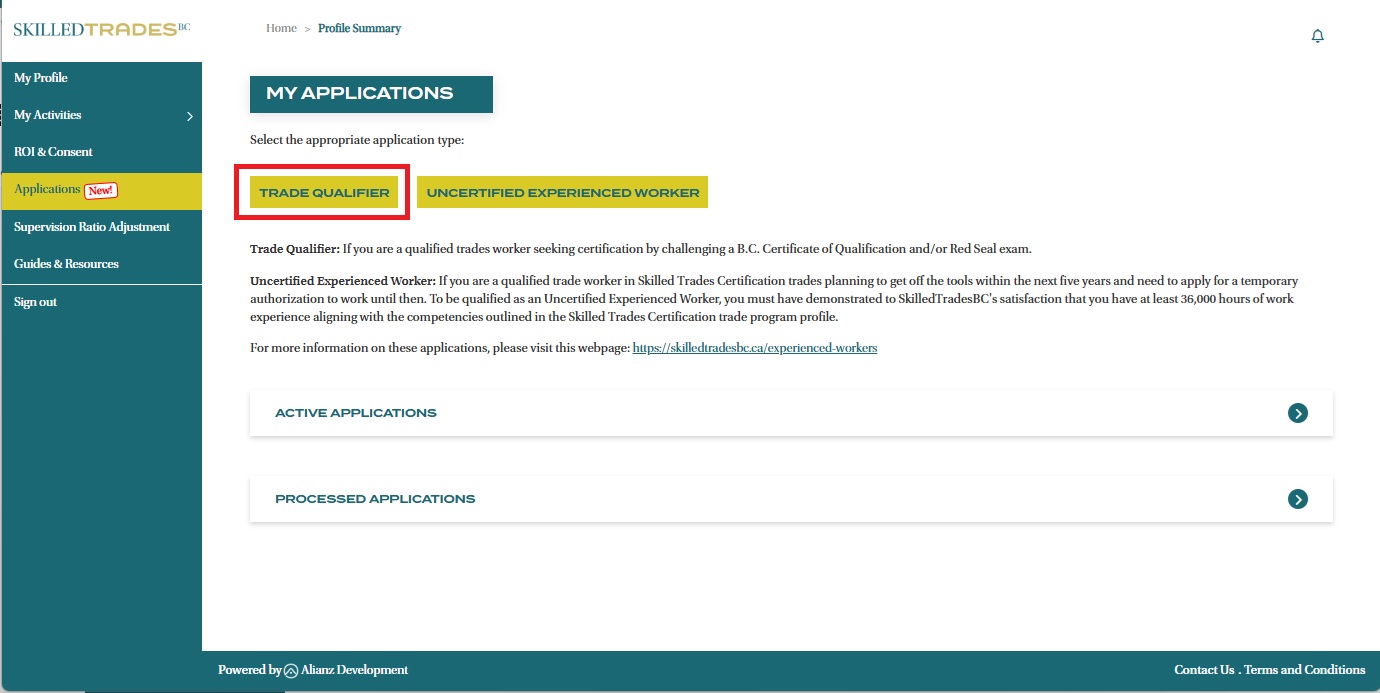
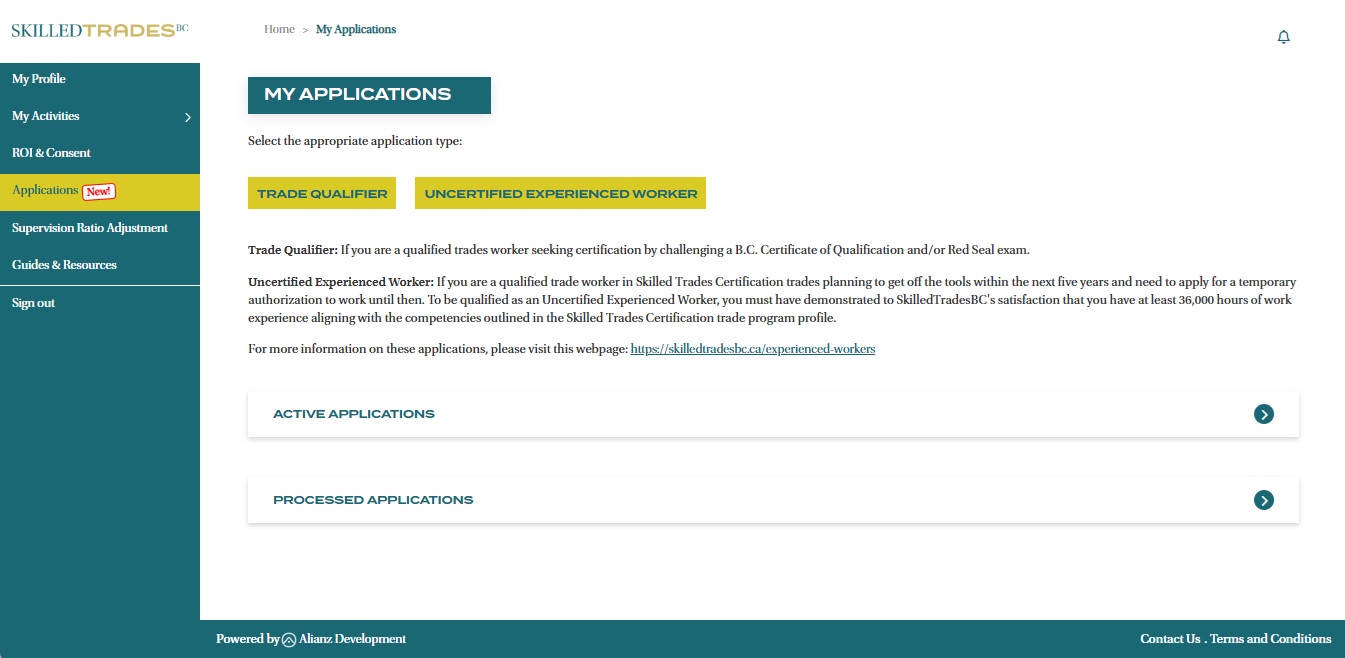
- After logging in, click on “Applications” section from the left navigation menu. Click the “Trade Qualifier” button to start your application.
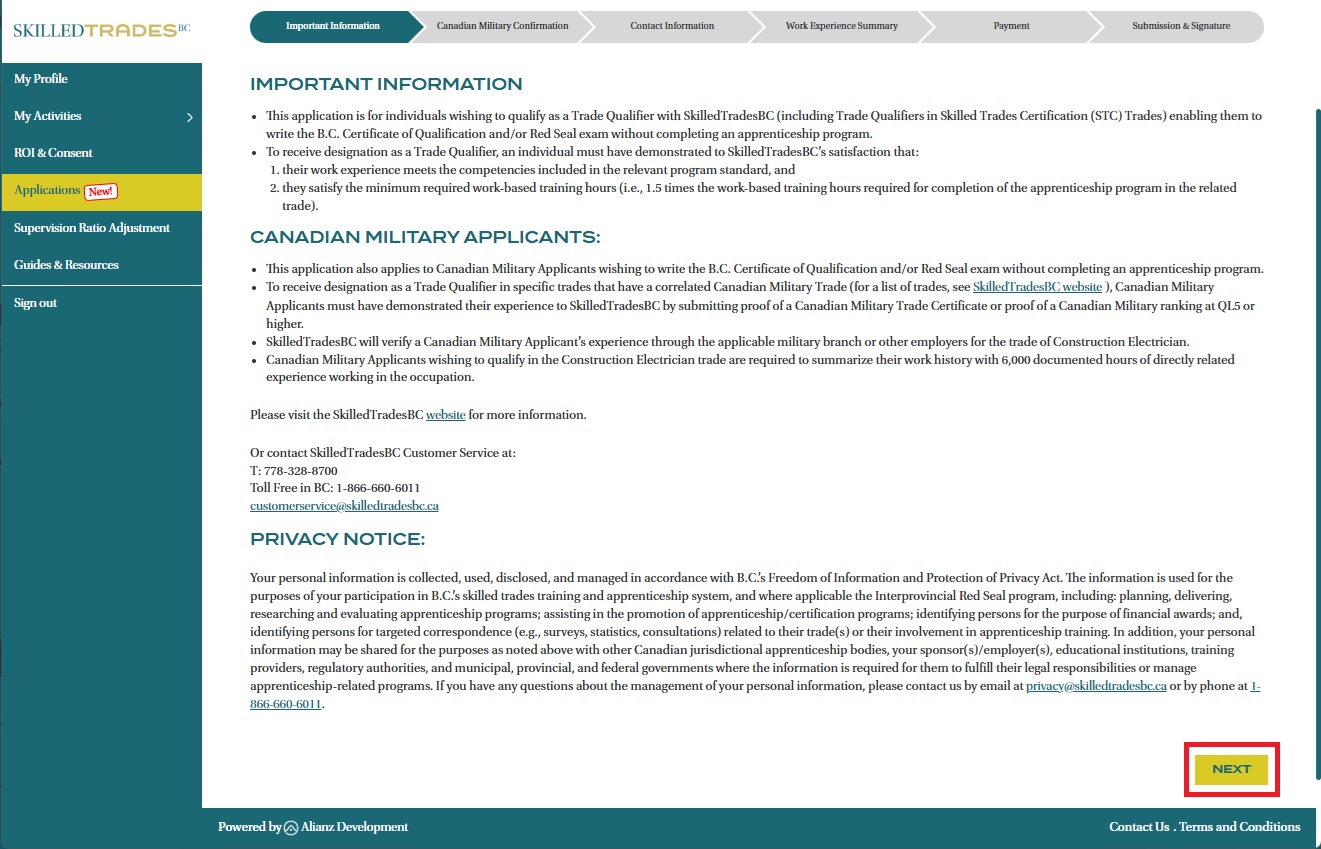
- Read the notice and then click on the “Next” button.
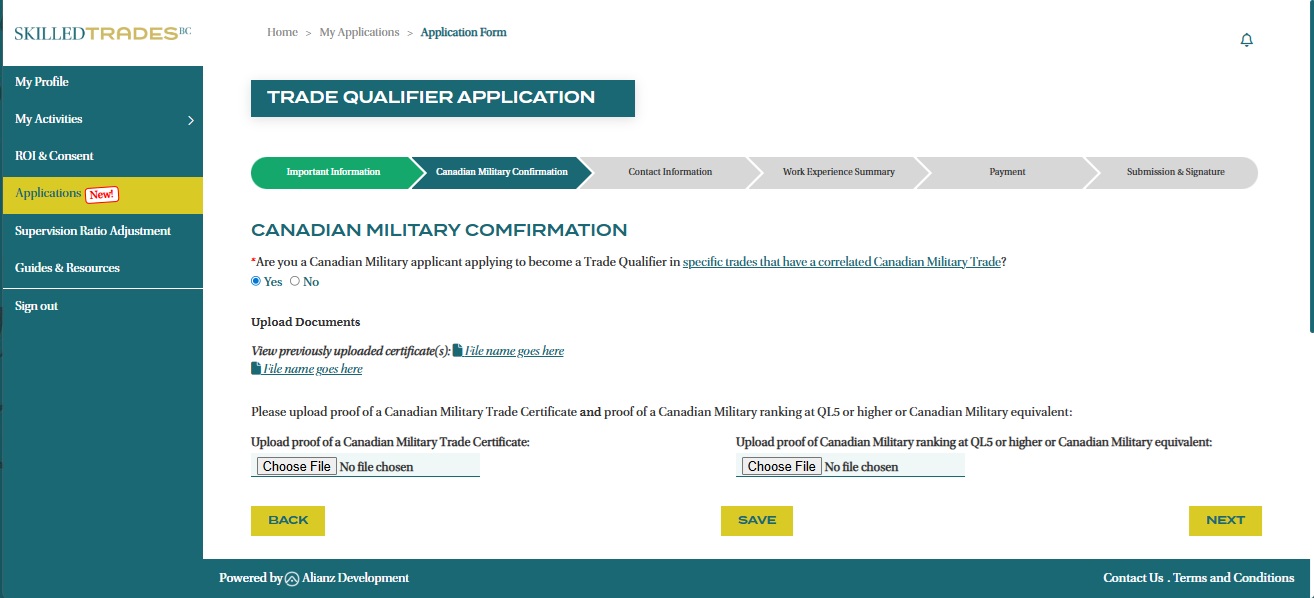
- On the Canadian Military confirmation page, select “Yes” if you are a Canadian Military applicant who want to challenge specific trades that have a correlated Canadian Military Trade.
If you are not a Canadian Military applicant, select “No” and continue onto the next step.
For a Canadian Military applicant, please upload both a proof of your Canadian Military Trade Certificate and proof of your Canadian Military ranking at QL5 or higher or Canadian Military equivalent.
Once both documents are uploaded, click on the “Next” button.
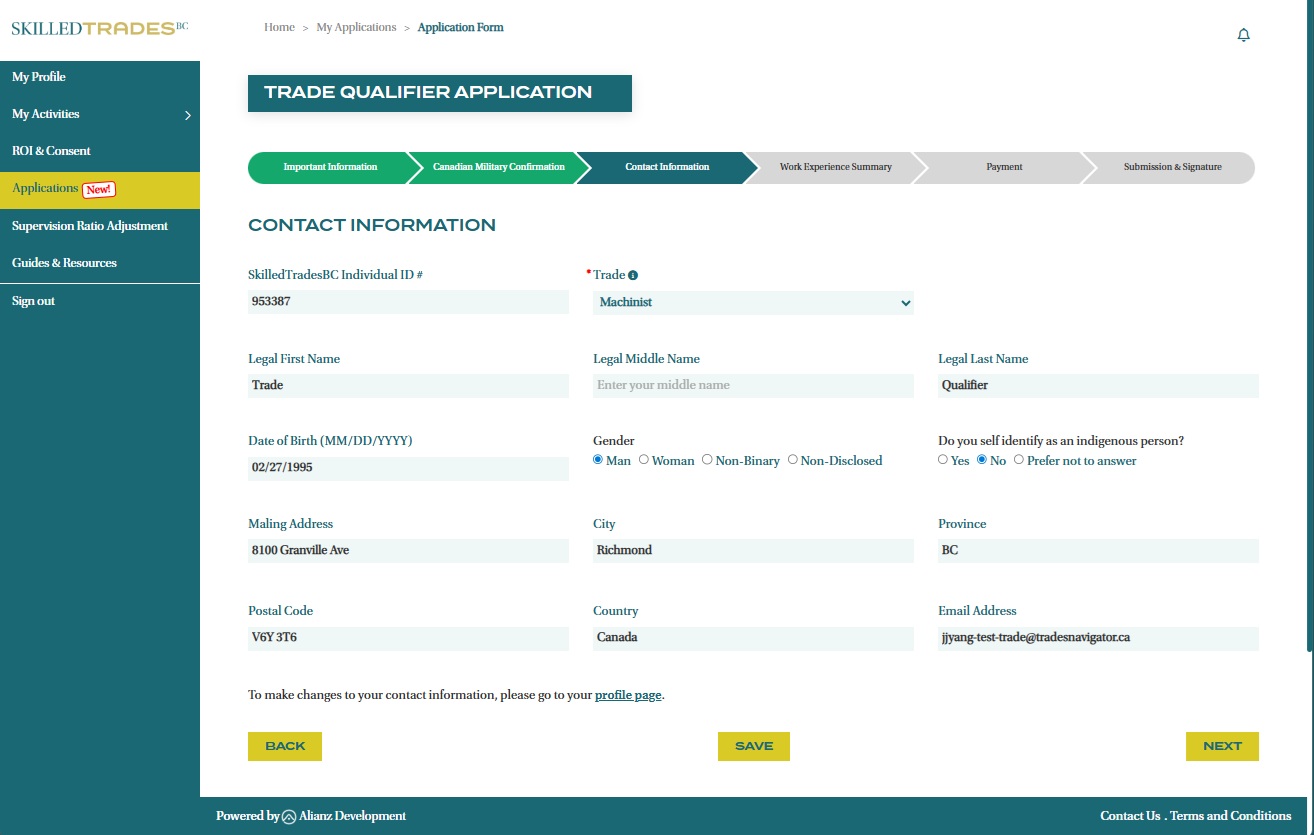
- Review your contact information and verify that your personal information is correct. To edit any information, navigate to the “My Profile” page on the Portal or contact Customer Service for assistance.
Select the Trade that you are applying for and click on the “Next” button.
Note: Only one application per trade can be in progress at a time. Before starting a new application, ensure you have completed and submitted payment for your current application.
- Download the Employer Declaration and/or the Statutory Declaration forms from the links provided on the Work Experience Summary page.
Once the form(s) have been filled out and signed, attach them to your application. For detailed instructions on how to fill out these forms, visit the Declaration Forms Instructions Guide on our website.
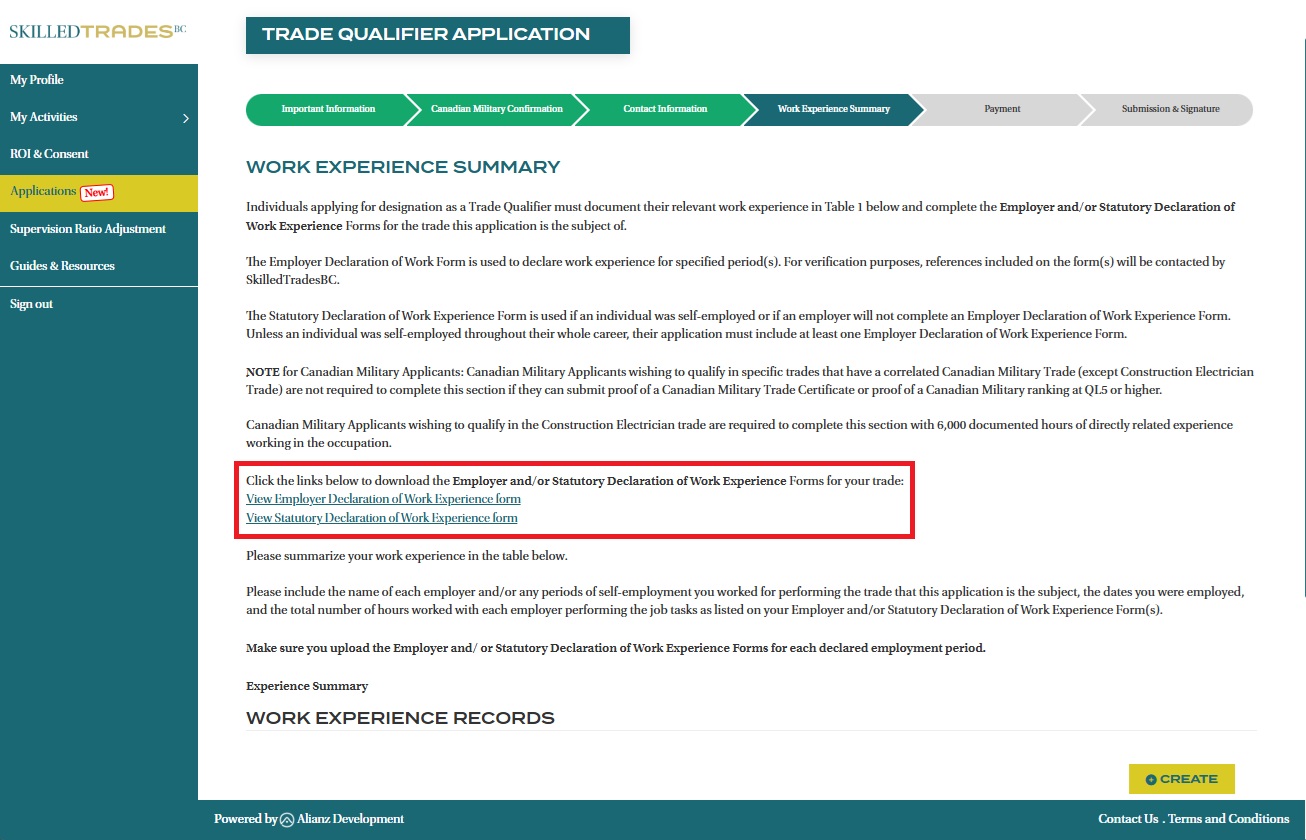
- Summarize your work experience. Create a work experience record by clicking the “+ Create” button.
Note: Military Applicants wishing to qualify in the Construction Electrician trade are required to summarize their work history and submit Employers and/or Statutory Declaration form(s). Other Military Applicants who want to challenge specific trades that have a correlated Canadian Military Trade are NOT required to complete this page if they have submitted the required documents earlier.
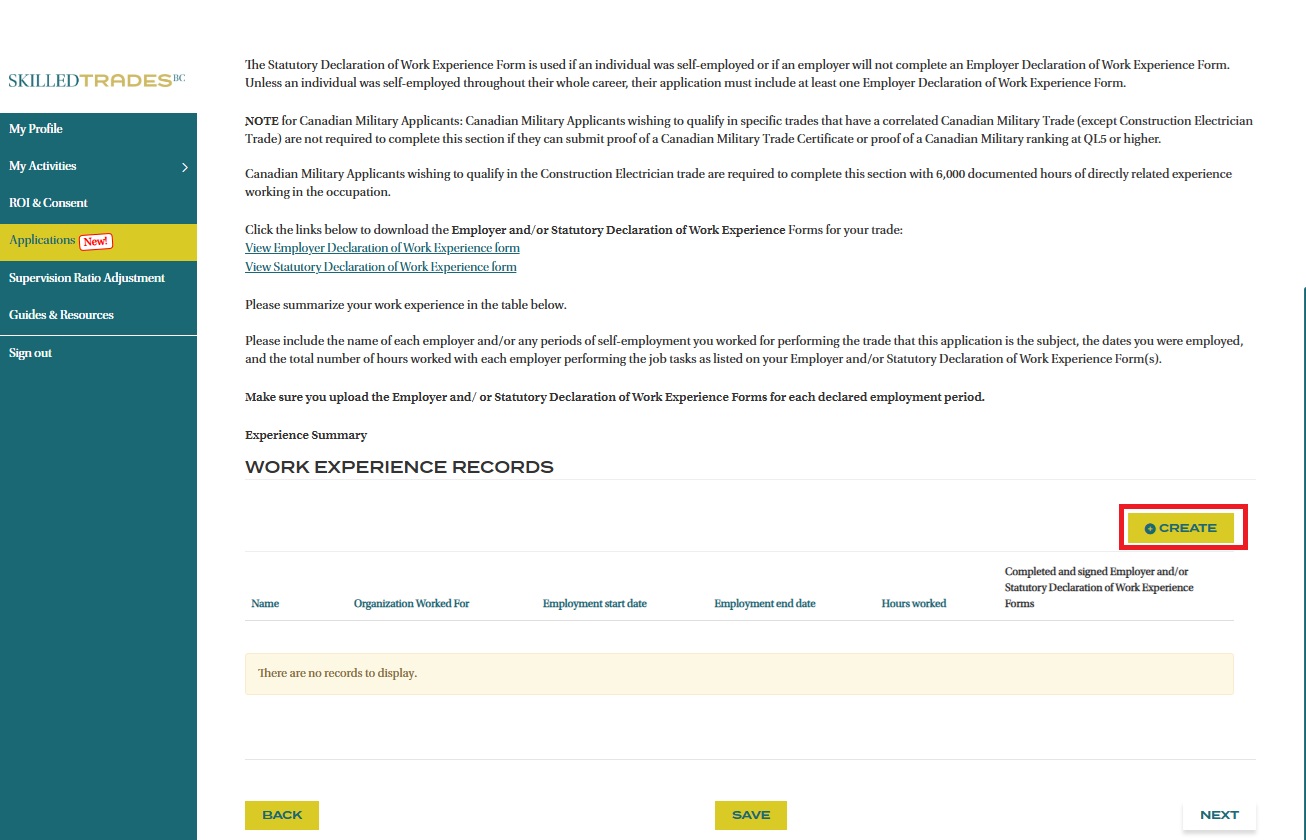
- Enter the following details regarding your experience:
- Organization Name
- Hours Worked
- Employment Start and End Dates
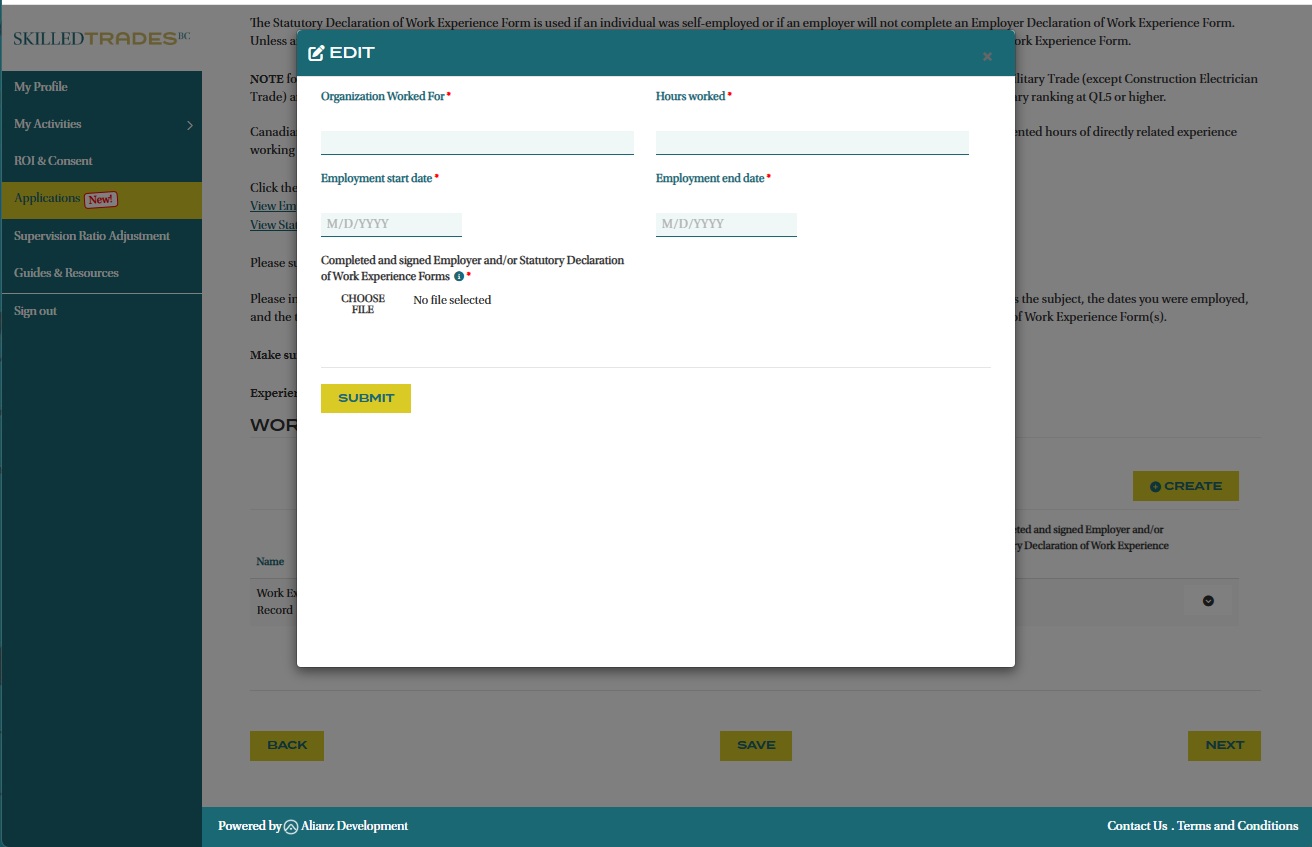
- Upload the relevant Employer Declaration or Statutory Declaration forms associated with the work experience record you are adding.
- Click the “Next” button.
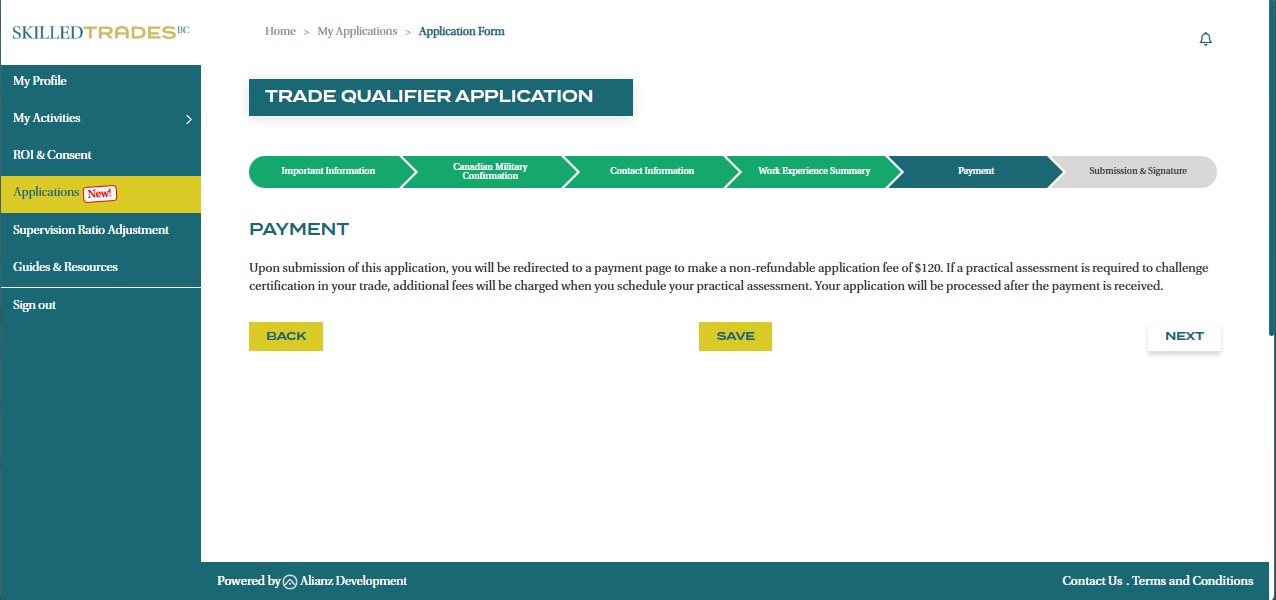
- Complete your application fee and click on the “Next” button to continue.
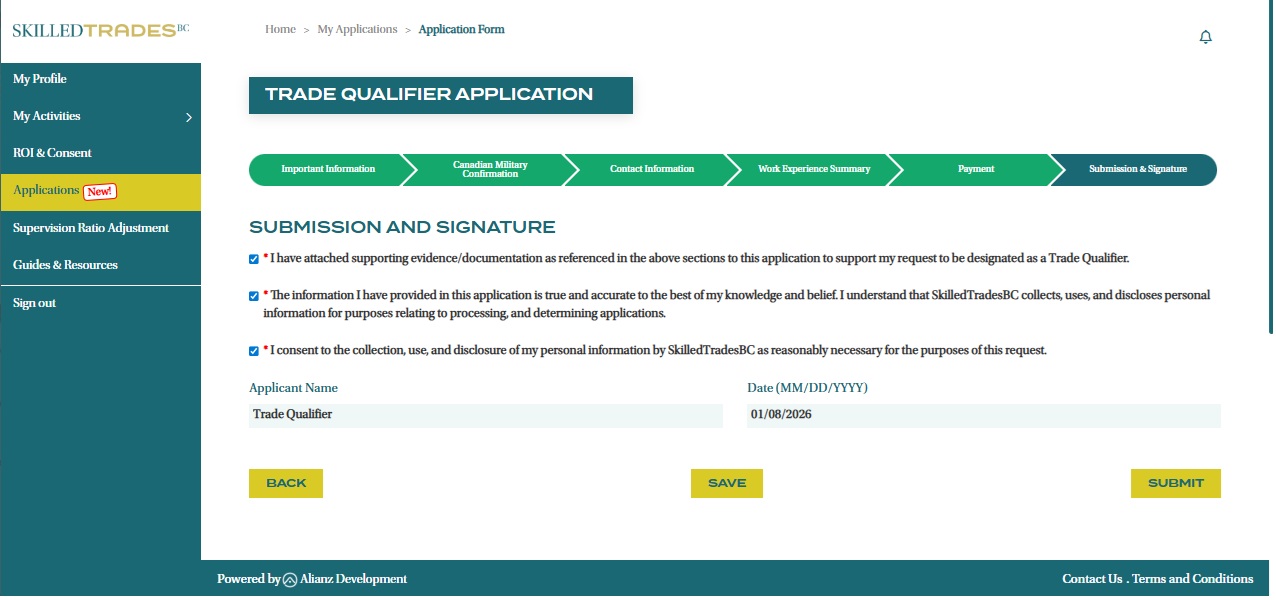
- Review and check the items on the Submission and Signature page to provide consent and confirm your Trade Qualifier application. Click the “Submit” button after checking all the boxes.
- Once submitted, you will be redirected to the “My Applications” page where you can track your application status.
Canadian Military Confirmation
From this page onwards, you can save your application progress and return later to complete it.
Contact Information
Work Experience Summary
Payment
Submission and Signature
Need help?
Contact us by:
- Email: customerservice@skilledtradesbc.ca
- Phone: 778 328 8700/ Toll Free in British Columbia: 1 866 660 6011
Last updated: December 2025